
Advanced Datatable — WordPress Table Plugin
Advanced Datatable – The Ultimate Data Table Plugin
by Flipper Code - WordPress Development Company · WordPress.org page
Advanced Datatable has 40+ active installs on WordPress.org and 2,595 downloads all time. It was downloaded 112 times in the last 30 days. The last update was on May 28, 2026, tested up to WordPress 7.0.7.
Advanced Datatable at a glance
Is Advanced Datatable well maintained?
Features
The feature list from the plugin's own readme on WordPress.org, trimmed to the essentials.
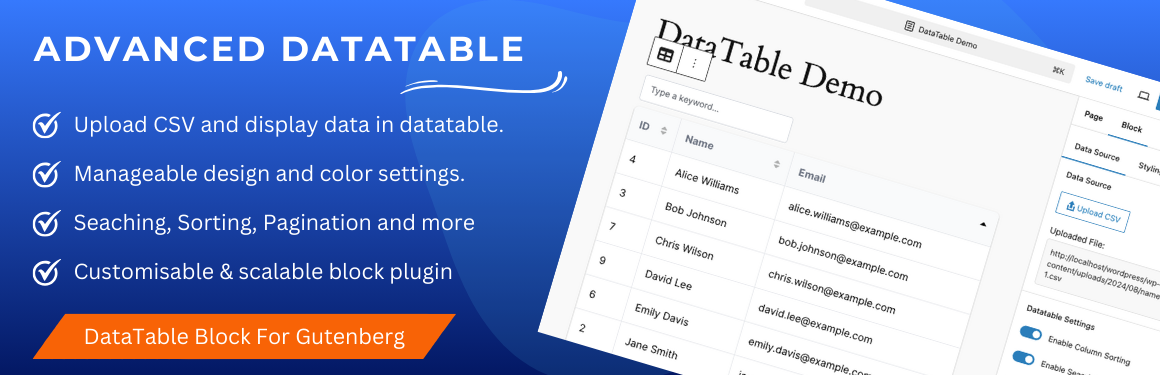
- Create a page where you want to display CSV data. Navigate to the Gutenberg editor
- CLick on the + icon to see all available block elements. Find “Advanced Datatable” block element under “Widgets” category
- Click on the “Advanced Datatable” block element icon will display a message to upload a csv file first as an input to block
- From the block properties, upload your csv file via the provided button. Once the file has been uploaded successfully, all the records will be populated in a…
- Now from the block settings, you can enable / disable feature like searching, sorting and pagination for the created datatable
- Publish or update your page and you are done. Just visit the page on frontend. You will see the exact same datatable you created in backend
Advanced Datatable reviews and ratings
1 reviews on WordPress.org, with the most recent ones as their authors posted them.
1 reviews
- 5★
-
1
- 4★
-
0
- 3★
-
0
- 2★
-
0
- 1★
-
0
-
Perfect simple plugin, for csv display, easy to use
Easy to display csv tables with grid.js as foundation. Additional styling and setting options for display. Thank you
wmdach
Download and install history
167 downloads over the last 48 days. Snapshots taken daily from WordPress.org.
Details
Show Data on your website with sorting, searching and pagination.
The full description, screenshots and every review live on the WordPress.org page.
Rankings Advanced Datatable competes in
Tags
- csv data
- data
- datatable
- table
- wp datatable
More from Flipper Code - WordPress Development Company
-
 WP Maps 60,000+ installs
 -
 Advanced Posts Listing 3,000+ installs
 -
 Text Prompter 70+ installs
- Version
- 1.0.4
- Last updated
- May 28, 2026
- First published
- Aug 23, 2024
- Requires WordPress
- 6.1
- Tested up to
- 7.0.7
- Requires PHP
- 7.0
- Pricing
- Free on WordPress.org
Advanced Datatable FAQ
What does Advanced Datatable do?
According to its WordPress.org readme, Advanced Datatable offers Create a page where you want to display CSV data. Navigate to the Gutenberg editor, CLick on the + icon to see all available block elements. Find “Advanced Datatable” block element under “Widgets” category, Click on the “Advanced Datatable” block element icon will display a message to upload a csv file first as an input to block, From the block properties, upload your csv file via the provided button. Once the file has been uploaded successfully, all the records will be populated in a and Now from the block settings, you can enable / disable feature like searching, sorting and pagination for the created datatable.
How many active installs does Advanced Datatable have?
WordPress.org reports 40+ active installs for Advanced Datatable as of October 22, 2026.
Is Advanced Datatable still maintained?
Yes. The last release was on May 28, 2026 and it is tested up to WordPress 7.0.7.
Is Advanced Datatable free?
Advanced Datatable is free to install from WordPress.org. Many plugins also sell a paid version or add-ons.