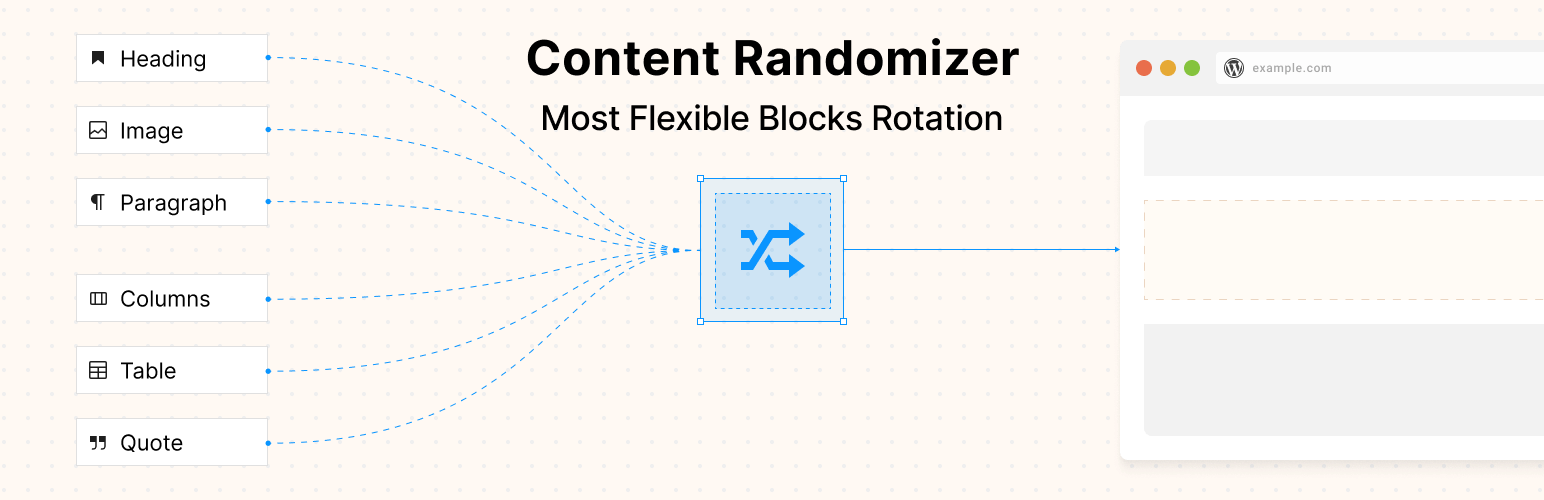

Content Randomizer
Content Randomizer – Rotate Any Block
by Slava Abakumov · WordPress.org page · Website
Content Randomizer has 100+ active installs on WordPress.org and 1,398 downloads all time. It was downloaded 155 times in the last 30 days. The last update was on August 20, 2026, tested up to WordPress 7.1.3.
Content Randomizer at a glance
Is Content Randomizer well maintained?
Features
The feature list from the plugin's own readme on WordPress.org, trimmed to the essentials.
- Easy to Use: Works seamlessly with the WordPress Block Editor (Gutenberg)
- Flexible Content: Add any type of block as a child – paragraphs, images, headings, galleries, custom blocks, and more
- Multiple Display Options: Choose how many random blocks to show at once
- No Coding Required: Simple drag-and-drop interface for managing randomized content
- Performance Optimized: Lightweight and efficient randomization
Content Randomizer reviews and ratings
2 reviews on WordPress.org, with the most recent ones as their authors posted them.
2 reviews
- 5★
-
2
- 4★
-
0
- 3★
-
0
- 2★
-
0
- 1★
-
0
-
Easy setup - works as promised.
Hello, thank you for the plugin. Works as expected, really simple to use.A question one a more challenging usecase. Perhaps you have an idea how to do this.I want to show a section 'services' with two rows with each 3 columns. Each service sits in a column with an image and a button with text and link. The position of the individual services should randomly show in the first column, the second on the second column, the third on the third column, etc... On page-refresh the services should change position randomly. For example service 1 is now on position 3, service 2 on position 6, service 3 is on 1, etc... Now I have added the two rows with the 3 columns inside the Content Randomizer block. This is to avoid a service being shown twice on the page. This works but to have the rows with all of the services repeatedly included in the page seems ridiculous.Any idea on a more elegant solution? RegardsEd
kingbolo -
Great plugin!
provides a very unique useful feature I needed internally
Oksana
Download and install history
246 downloads over the last 48 days. Snapshots taken daily from WordPress.org.
Details
Rotate and display random content blocks on every page load. Perfect for testimonials, CTAs, and dynamic content. Works with any block type.
The full description, screenshots and every review live on the WordPress.org page.
Tags
- dynamic content
- gutenberg
- randomizer
- rotation
- testimonials
More from Slava Abakumov
-
 Users Registration Date 3,000+ installs
 -
 BuddyPress Groups Extras 400+ installs
 -
 BuddyPress Default Data 300+ installs
 -
 BuddyPress Russian Months 100+ installs
- Version
- 1.5.0
- Last updated
- Aug 20, 2026
- First published
- Oct 13, 2025
- Requires WordPress
- 6.8
- Tested up to
- 7.1.3
- Requires PHP
- 7.4
- Pricing
- Free on WordPress.org
Content Randomizer FAQ
What does Content Randomizer do?
According to its WordPress.org readme, Content Randomizer offers Easy to Use: Works seamlessly with the WordPress Block Editor (Gutenberg), Flexible Content: Add any type of block as a child – paragraphs, images, headings, galleries, custom blocks, and more, Multiple Display Options: Choose how many random blocks to show at once, No Coding Required: Simple drag-and-drop interface for managing randomized content and Performance Optimized: Lightweight and efficient randomization.
How many active installs does Content Randomizer have?
WordPress.org reports 100+ active installs for Content Randomizer as of October 22, 2026.
Is Content Randomizer still maintained?
Yes. The last release was on August 20, 2026 and it is tested up to WordPress 7.1.3.
Is Content Randomizer free?
Content Randomizer is free to install from WordPress.org. Many plugins also sell a paid version or add-ons.