
Code Snippet DM
by George-Paul Crețu · WordPress.org page
Code Snippet DM has 500+ active installs on WordPress.org and 12,931 downloads all time. We have tracked it since September 4, 2026; download trends appear after 30 days of data. The last update was on August 22, 2025, tested up to WordPress 6.8.8.
Code Snippet DM at a glance
Is Code Snippet DM well maintained?
Features
The feature list from the plugin's own readme on WordPress.org, trimmed to the essentials.
- background with options yes or no will enable/disable the color background (Default yes)
- background-mobile with options yes or no will enable/disable the color background for mobile devices (Default yes)
- bg-color accepts any HEX, RGB or RGBA value to change the background color (Default #abb8c3)
- theme with options light or dark that changes the code editor theme (Default dark)
- slim with options yes or no that changes the code editor from default to a slim version, ideal for one-line code (Default no)
- line-numbers with options yes or no that will enable a left side line number for columns (Default no)
- language with options clike, css, javascript, markup, perl, php, python, ruby, sql, typescript, shell will highlight the syntaxes based on what you select for…
- wrap with options yes or no will wrap the code or add a horizontal scroll bar to display it as it is (Default no)
- height allows you to input any value and will set the code snippet height to that value. Example: 500px. (Default is empty)
- copy-text this is used for the text shown on the copy button. If it’s not added it will use the default option. (Default Copy Code)
- copy-confirmed this is used for the text shown after you click the copy button. If it’s not added it will use the default option. (Default Copied)
Code Snippet DM reviews and ratings
4 reviews on WordPress.org, with the most recent ones as their authors posted them.
4 reviews
- 5★
-
4
- 4★
-
0
- 3★
-
0
- 2★
-
0
- 1★
-
0
-
Really nice
Looks like Carbon.now.sh but actually allows copying the text. Really happy with this plugin.
adcardosi -
Great plugin!
Very nice plugin! Clean and fast. The only issue i have is that if you set slim="no", the first line of code disappears half way under the top border, so most likely need a bit of padding added. Other than that it great, Thanks a lot!
Banjoo -
Beautiful
This is what I had been looking for. It's beautiful and simple. I wish there was a way make it show as a regular Gutenberg block, I also wish there was a way to limit the height of the snippet. For example many of my snippets are just one line, but the snippet takes up to 4 lines, it would be nice if one could control the height so things would look a little slicker. Other than that awesome plugin, no problems with it so far. Keep up the good work.
Eli -
It simply works!
After spending the last couple of days looking for a plugin to give some style to my code snippets (basically CSS, PHP, and Javascript), this is the only one that worked just fine with ThriveArchitect (and I likely tested all of the 'highlight' plugins from the repository.) Simple, lightweight, great dark theme, works with a short-code and includes a 'copy to clipboard' button. If anything, I'd ask to be able to customize the text strings from the events 'on success copy' and 'on error' without having to mess with js files (maybe with a couple of extra parameters in the short-code.) Keep up the good work!
Cesar Pinto
Details
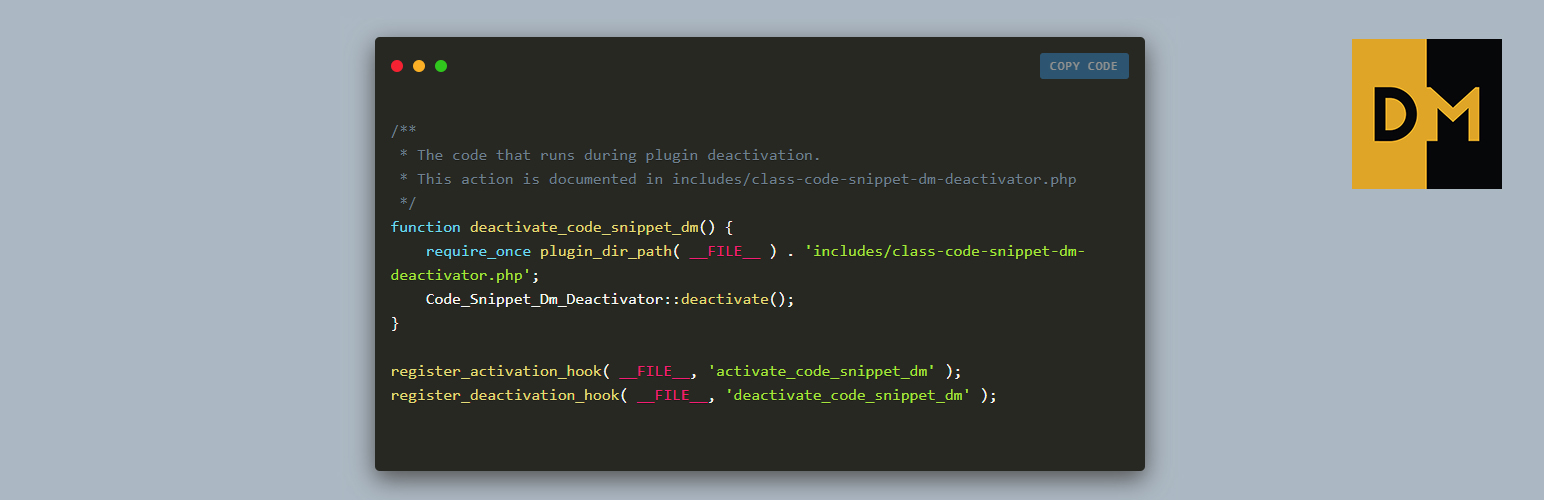
Code Snippet DM enables you to display code snippets in a stylish way inside your content.
The full description, screenshots and every review live on the WordPress.org page.
Tags
- code
- code snippet
- display code
- embed
- snippet
More from George-Paul Crețu
-
 DM Visitor Location Notification fewer than 10 installs
- Version
- 2.0.4
- Last updated
- Aug 22, 2025
- First published
- Aug 30, 2018
- Requires WordPress
- 4.0
- Tested up to
- 6.8.8
- Requires PHP
- 7.4
- Pricing
- Free on WordPress.org
Code Snippet DM FAQ
What does Code Snippet DM do?
According to its WordPress.org readme, Code Snippet DM offers background with options yes or no will enable/disable the color background (Default yes), background-mobile with options yes or no will enable/disable the color background for mobile devices (Default yes), bg-color accepts any HEX, RGB or RGBA value to change the background color (Default #abb8c3), theme with options light or dark that changes the code editor theme (Default dark) and slim with options yes or no that changes the code editor from default to a slim version, ideal for one-line code (Default no).
How many active installs does Code Snippet DM have?
WordPress.org reports 500+ active installs for Code Snippet DM as of September 7, 2026.
Is Code Snippet DM still maintained?
The last release was on August 22, 2025, more than a year ago. WordPress.org shows a warning on plugins that go this long without an update.
Is Code Snippet DM free?
Code Snippet DM is free to install from WordPress.org. Many plugins also sell a paid version or add-ons.