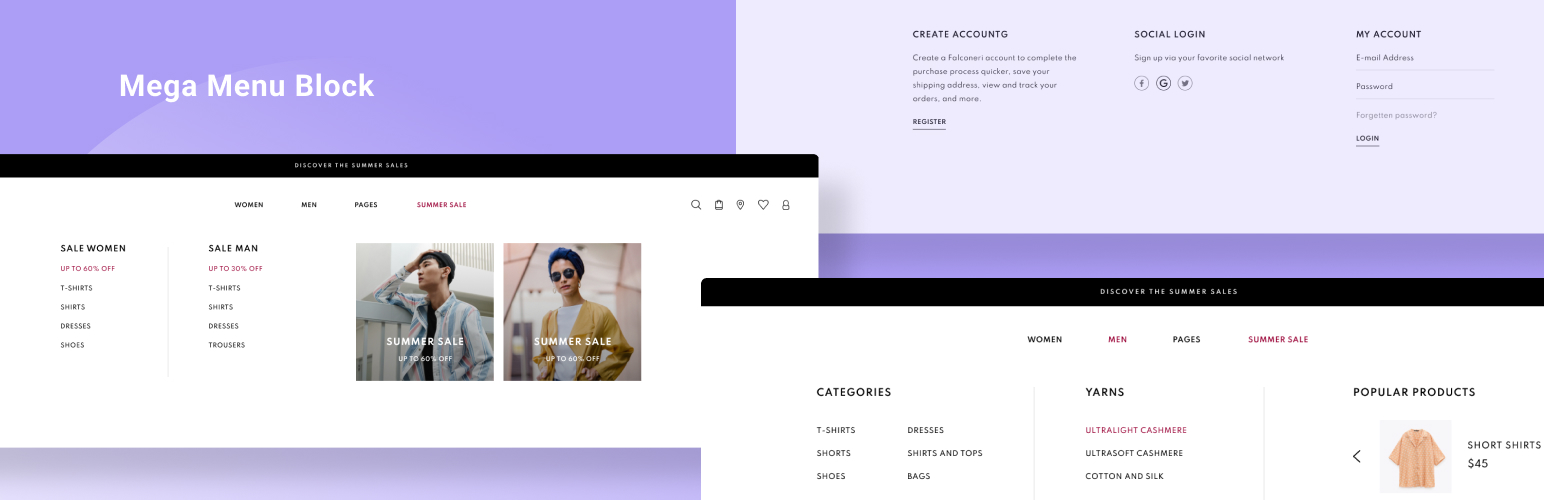

Navigation Block with Mega Menu — WordPress Mega Menu Plugin
by jetmonsters · WordPress.org page · Website
Navigation Block with Mega Menu has 1,000+ active installs on WordPress.org and 31,677 downloads all time. We have tracked it since September 4, 2026; download trends appear after 30 days of data. The last update was on July 16, 2025, tested up to WordPress 6.8.8.
Navigation Block with Mega Menu at a glance
Is Navigation Block with Mega Menu well maintained?
Features
The feature list from the plugin's own readme on WordPress.org, trimmed to the essentials.
- Mega menu block
- Mega menu item block
- Plain menu block
- Plain menu item block
Navigation Block with Mega Menu reviews and ratings
13 reviews on WordPress.org, with the most recent ones as their authors posted them.
13 reviews
- 5★
-
7
- 4★
-
0
- 3★
-
2
- 2★
-
0
- 1★
-
4
-
Usability issues backend/frontend
Hello, thanks for creating a block based mega menu! I use this plugin in a couple of projects together with WP default themes Twenty Twenty-Five and Twenty Twenty-For and want to address some usability issues in front and backend. When creating a menu in FSE editor in a Header template part the dropdown/submenu is usually not visible when you click on a Menu Item. You have to scroll to view all items. The desired behaviour would be to see the whole submenu as shown in the WP plugin "Sreenshots" section. When you click on a Plain Menu item placed in a submenu it actually links within the Header Template to the linked page. I then see the frontend of the website within the Header Template which is apparently a bug. When I want to go back I get an error message and need to exit and re-enter the FSE editor. It would be nice to add also a menu-is-open class to body in order to make it non-scrollable when opening the menu. Currently the menu is not WCAG compatible, there are no aria attributes and you can not navigate through keyboard with TAB, Enter/Space, ESC. Thanks,Georg
georg03 -
Lacks a demo
First of all, thanks for providing a mega menu plugin that supports block themes and Full Site Editing 🙏 It would be very helpful if this plugin had a documentation page with some examples of how it should look. I tried to use it to build a mega menu, and found that the mobile version has a major usability issue : the toggle button to show the mega menu is way too small, only 20px wide. Maybe I didn't built it correctly ? Hard to say without a demo that I could compare to. PS: I opened an issue on the github repository, with a screencapture that shows the problem.
Manuel Schmalstieg -
Vraiment bien
Le plugin parfait pour faire des méga menu en mode Gutenberg. fonctionne vraiment bien. le Bloc "mega menu" fonctionne bien, par contre erreur sur le "plain bloc" sur la version actuelle 1.0.6
Olybop -
Was perfect for Block site
This plugin saved the day for my plunge into building a custom block theme. The alternatives were ugly, huge mega-menu builds that are not easy to implement for a smaller site.
toledogeeks -
Simple to use and keep it simple
Simple to use. I hope more people start using FSE/block-theme-friendly mega menu plugins. The mobile menu toggles should change to the ones from core navigation block. The "Plain Menu" block works the same as the core Nav block (did I miss something?)
Huan -
Thank you!
This plugin was very useful for adding a megamenu to my shop, I had to modify it a bit but the result is excellent! Definitely does not deserve this rating, keep it up guys!
Erik
Where Navigation Block with Mega Menu ranks on WordPress.org
The rankings we track that Navigation Block with Mega Menu appears in, and how its position changed over 30 days.
| Ranking | WordPress.org placement | Position | 30 days |
|---|---|---|---|
| Best Mega Menu Plugins | #22 by tag, #34 in search | #15 | – |
Navigation Block with Mega Menu alternatives
Plugins that solve the same problem, ranked by how closely they overlap with Navigation Block with Mega Menu.
-
 QuadMenu 10,000+ installs · 4.5
 -
 WP Menu Icons 20,000+ installs · 4.9
 -
 WP Mega Menu 8,000+ installs · 4.4
 -
 Responsive Menu 70,000+ installs · 4.5
 -
 Max Mega Menu 300,000+ installs · 4.8
Details
Build better navigation menus with the WordPress mega menu blocks.
The full description, screenshots and every review live on the WordPress.org page.
Rankings Navigation Block with Mega Menu competes in
Tags
- block
- mega menu
- megamenu
- navigation
- wordpress menu
More from jetmonsters
-
 JetFormBuilder 80,000+ installs
 -
 Getwid 50,000+ installs
 -
 MotoPress 30,000+ installs
 -
 JetSticky For Elementor 20,000+ installs
- Version
- 1.0.7
- Last updated
- Jul 16, 2025
- First published
- Jul 31, 2020
- Requires WordPress
- 5.7
- Tested up to
- 6.8.8
- Requires PHP
- 5.6
- Pricing
- Free on WordPress.org
Navigation Block with Mega Menu FAQ
What does Navigation Block with Mega Menu do?
According to its WordPress.org readme, Navigation Block with Mega Menu offers Mega menu block, Mega menu item block, Plain menu block and Plain menu item block.
How many active installs does Navigation Block with Mega Menu have?
WordPress.org reports 1,000+ active installs for Navigation Block with Mega Menu as of September 7, 2026.
Is Navigation Block with Mega Menu still maintained?
The last release was on July 16, 2025, more than a year ago. WordPress.org shows a warning on plugins that go this long without an update.
Is Navigation Block with Mega Menu free?
Navigation Block with Mega Menu is free to install from WordPress.org. Many plugins also sell a paid version or add-ons.
Where does Navigation Block with Mega Menu rank among Mega Menu Plugins?
Navigation Block with Mega Menu is #15 in the WordPress.org Mega Menu Plugins ranking.