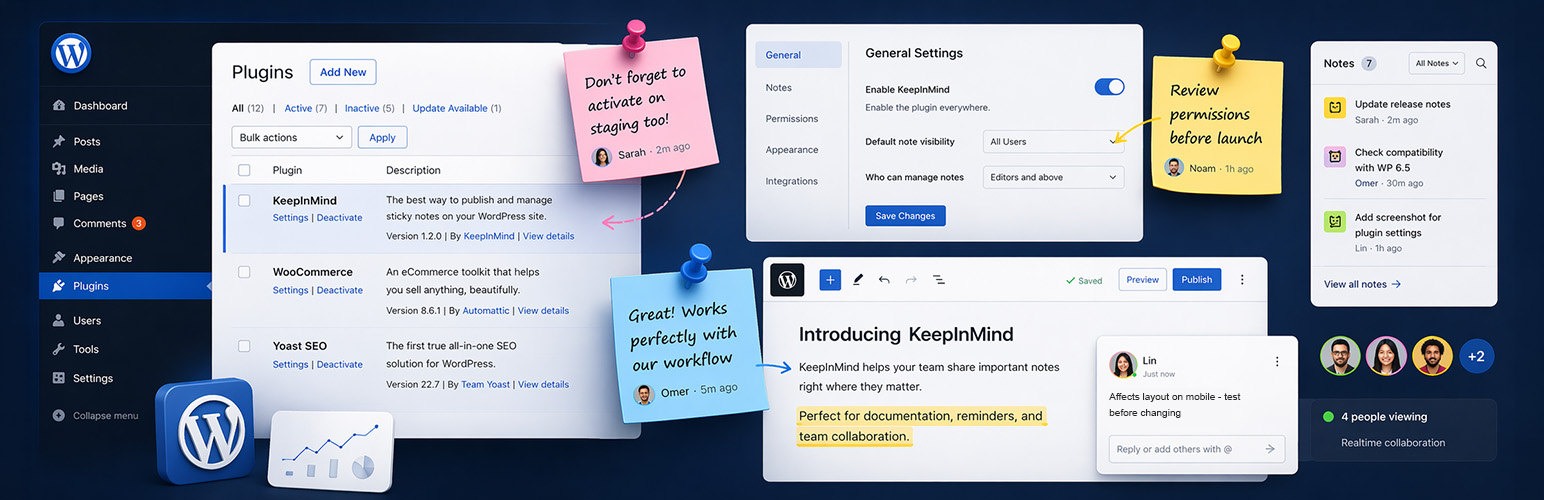

KeepInMind Dashboard Notes
by Elchanan Levavi · WordPress.org page · Website
KeepInMind Dashboard Notes has 300+ active installs on WordPress.org and 3,896 downloads all time. It was downloaded 553 times in the last 30 days. The last update was on October 4, 2026, tested up to WordPress 7.1.3.
KeepInMind Dashboard Notes at a glance
Is KeepInMind Dashboard Notes well maintained?
Features
The feature list from the plugin's own readme on WordPress.org, trimmed to the essentials.
- You temporarily disable a plugin to test whether it’s causing a conflict. Drop a Warning note on the Plugins page so everyone knows it was turned off on…
- You installed a plugin for one very specific reason that isn’t obvious. Pin a note to it explaining why it’s there, so another admin – or future you – doesn’t…
- A client keeps changing a setting that breaks their site. Attach an always-visible Alert banner right next to that toggle: “Do not change – this controls the…
- Your developer configured a custom field with a non-obvious format. Leave a note on the field itself explaining what values are expected, so the content team…
- You’re onboarding a new team member. Instead of writing a separate training doc, scatter helpful Attention banners across the pages they’ll use most – guidance…
- You’re running a staging review before launch. Pin notes to every area that needs a final check, and let your team reply with updates as they work through the…
KeepInMind Dashboard Notes reviews and ratings
9 reviews on WordPress.org, with the most recent ones as their authors posted them.
9 reviews
- 5★
-
9
- 4★
-
0
- 3★
-
0
- 2★
-
0
- 1★
-
0
-
Perfect plugin for keeping important information visible in the WordPress admin
Just as the title says. I'm impressed with how well the plugin is built and designed, usage is straightforward too, and I especially appreciate the option of showing the notes to whitelisted users only.
Gabor Lippert -
虽冷门但有用!
虽然说是一个冷门类型的插件,但是对某些人来说非常有用,已被www.wp-plugins.cn推荐!
leo666cn -
One of the best plugins for the dashboard
This plugin is a pleasure to use. It’s simple, fast, and thoughtfully built. The floating note button is brilliant — always there when I need it, never in the way. I also love that notes can be attached to specific sections of the admin, making them genuinely helpful for day‑to‑day tasks.It feels like a premium tool even though it’s lightweight and minimal. If you rely on notes, reminders, or quick ideas while working in WordPress, this plugin becomes indispensable very quickly. It sometimes happen that the notes become hidden, and I con't do anything todo that, but I need toclick on show so they appear again. Oh, and it's a great update with the sticky note that was not there before until the latest update
effex1 -
Excellent
Works very well
urweb -
Perfect
Great Idea!
Roi Webreach -
Great UX improvement with Optimistic UI
I’ve been using KeepInMind Dashboard Notes and what really stands out is the user experience. The plugin implements an optimistic UI approach, which makes interactions feel instant. Notes are added, edited, and deleted immediately without waiting for server confirmation. Even though everything is processed in the background, the interface feels fast and smooth. It’s a small detail, but it makes a big difference in daily workflow. Highly recommended for anyone who values clean and responsive UX.
Enter2Web
Download and install history
678 downloads over the last 48 days. Snapshots taken daily from WordPress.org.
Details
Leave notes on any WordPress admin pages. Pin them to specific elements, collaborate, and document actions and guidance inside the dashboard.
The full description, screenshots and every review live on the WordPress.org page.
Tags
- admin notes
- dashboard notes
- notes
- Team Collaboration
More from Elchanan Levavi
-
 AI Slug Translator 1,000+ installs
- Version
- 0.8.5
- Last updated
- Oct 4, 2026
- First published
- Apr 15, 2026
- Requires WordPress
- 5.8
- Tested up to
- 7.1.3
- Requires PHP
- 7.4
- Pricing
- Free on WordPress.org
KeepInMind Dashboard Notes FAQ
What does KeepInMind Dashboard Notes do?
According to its WordPress.org readme, KeepInMind Dashboard Notes offers You temporarily disable a plugin to test whether it’s causing a conflict. Drop a Warning note on the Plugins page so everyone knows it was turned off on, You installed a plugin for one very specific reason that isn’t obvious. Pin a note to it explaining why it’s there, so another admin – or future you – doesn’t, A client keeps changing a setting that breaks their site. Attach an always-visible Alert banner right next to that toggle: “Do not change – this controls the, Your developer configured a custom field with a non-obvious format. Leave a note on the field itself explaining what values are expected, so the content team and You’re onboarding a new team member. Instead of writing a separate training doc, scatter helpful Attention banners across the pages they’ll use most – guidance.
How many active installs does KeepInMind Dashboard Notes have?
WordPress.org reports 300+ active installs for KeepInMind Dashboard Notes as of October 22, 2026.
Is KeepInMind Dashboard Notes still maintained?
Yes. The last release was on October 4, 2026 and it is tested up to WordPress 7.1.3.
Does KeepInMind Dashboard Notes have good support?
On the WordPress.org forum, 1 of 1 recent support threads for KeepInMind Dashboard Notes are marked resolved. That is the developer's free support; a paid version usually comes with its own channel.
Is KeepInMind Dashboard Notes free?
KeepInMind Dashboard Notes is free to install from WordPress.org. Many plugins also sell a paid version or add-ons.