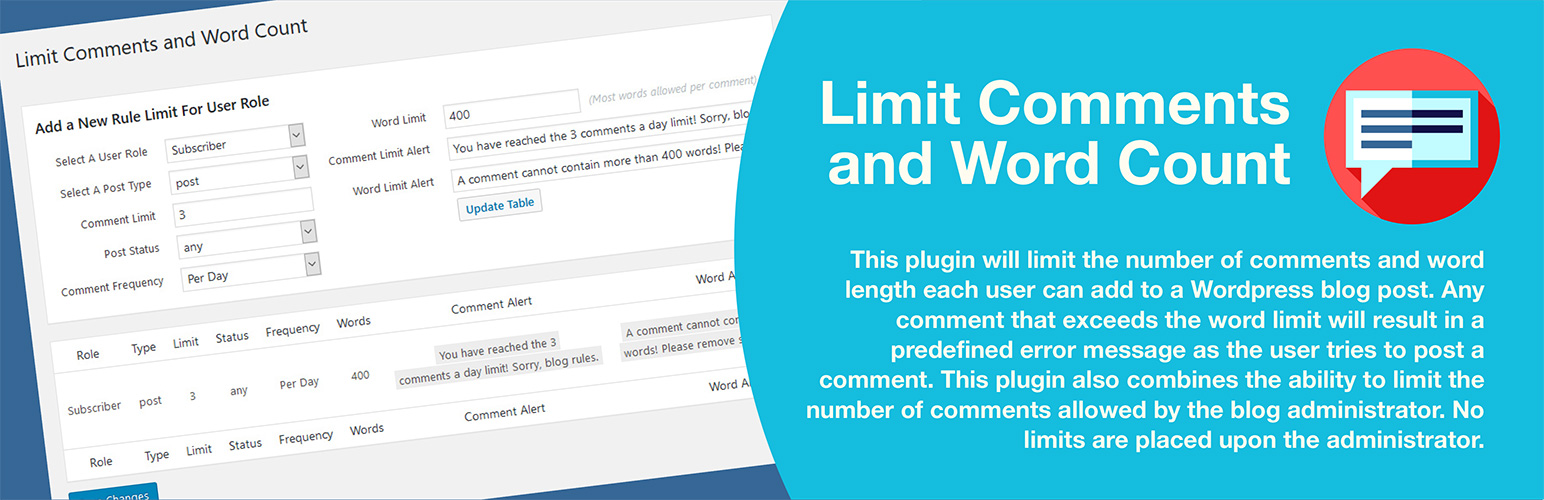

Limit Comments and Word Count
by artiosmedia · WordPress.org page · Website
Limit Comments and Word Count has 40+ active installs on WordPress.org and 6,243 downloads all time. We have tracked it since September 4, 2026; download trends appear after 30 days of data. The last update was on December 13, 2025, tested up to WordPress 6.9.0.
Limit Comments and Word Count at a glance
Is Limit Comments and Word Count well maintained?
Features
The feature list from the plugin's own readme on WordPress.org, trimmed to the essentials.
- Extract the zip file contents in the wp-content/mu-plugins/ directory of your WordPress installation. (This is not created by default. You must create it in…
- Access the Plugins settings panel named ‘Limit Comments and Word Count’ under options
- Configure your settings with two different error messages and save the settings
Limit Comments and Word Count reviews and ratings
9 reviews on WordPress.org, with the most recent ones as their authors posted them.
9 reviews
- 5★
-
7
- 4★
-
1
- 3★
-
0
- 2★
-
0
- 1★
-
1
-
sehr praktisch!
Ohne viel Schnickschnack, einfach zu bedienen, klappt super! Hatte einen kleinen bug gefunden, wurde kurzfristig behoben! top support 👍🏻
thomsenf -
It works!
This plugin has prevented very lengthy comments from our readers. We find that other readers dislike (as much as we do) a comment which goes on and on for many paragraphs, when a few sentences will do.
onlygrace -
Very useful plugin!
So Lucky I bumped here: I solved a critical situation in few clicks
andreymiller -
I don't like leaving negative reviews, BUT...
... the plugin had a nag notice up pestering me for one, so I have to call it as I see it. The first thing is that I agree with the review by dannydanny; this doesn't seem to give you the ability to limit posts by people who aren't members. But that aside, the description of the Plugin was: "This plugin adds above the comment box an active letter counter, word counter, and comment counter, that provides a user constant visual access to their input activity". I did not see ANY of those. (5.5.1–en_AU, Twenty Seventeen theme.) But what I DID see when the plugin was enabled was that the [Post Comment] control had completely vanished from the page. I'm guessing that it can still be seen by bots since the endless Russian spam postings have continued unabated, it was only humans who did not have access to the button. As soon as I disabled the plugin, the button came back. As soon as I reenabled the plugin, and refreshed the page, it vanished again. (I had windows open in Firefox, Chrome and Edge to check that this wasn't a browser issue.) With the plug-in active, I couldn't even see the button when I was logged on as an Admin. I have to again agree with dannydanny; if I give someone an account then it implies that I trust them to not abuse the privilege. THEY aren't the people that I need to put limits on, and as far as I can see the plugin doesn't give you the option of limiting non-members. That being the case, I would not have a need for this plugin, and will be uninstalling it once I post this. I didn't rate it as 1 star out of malice, but the tool tip over 2 stars says "Works"... and if the [Post Comment] button isn't even visible to an admin it's really hard to say "it works". Yes, it stops comments... but in my experience it stops ALL comments that aren't done by spam bots, since the commenter has no way of posting the comment.
akmc117 -
Not Bad, Missing Important Features
This plugin is great, but seems to lack the ability to limit comments for folks who are not registered users. For example, if someone comes along that is not a user of my site and wants to add a comment, I can't limit those. And those are the most important to limit. Maybe I'm misunderstanding the plugin. Also, once you create a limit or a rule, the rules do not show so how can you possibly remember what you've done? It just says, "settings saved." But it does not show that you have created a rule. So there is no way to see what rules you've imposed upon each user type.
dannydanny -
LOVE IT
This plugin is great at limiting comments on my blog; easy to setup!
classytech23
Details
This plugin will limit the number of comments and the word count each user can add to a WordPress blog post, configurable by user role and time.
The full description, screenshots and every review live on the WordPress.org page.
Tags
- comment limits
- comment word limit
- comments per user
- user comment limit
- word limits
More from artiosmedia
-
 Hide Cart Functions 3,000+ installs
 -
 Product Code for WooCommerce 1,000+ installs
 -
 RSS Feed Pro 500+ installs
 -
 Custom Thank You for WooCommerce 400+ installs
- Version
- 1.2.4
- Last updated
- Dec 13, 2025
- First published
- Jul 4, 2018
- Requires WordPress
- 4.6
- Tested up to
- 6.9.0
- Requires PHP
- 7.4.33
- Pricing
- Free on WordPress.org
Limit Comments and Word Count FAQ
What does Limit Comments and Word Count do?
According to its WordPress.org readme, Limit Comments and Word Count offers Extract the zip file contents in the wp-content/mu-plugins/ directory of your WordPress installation. (This is not created by default. You must create it in, Access the Plugins settings panel named ‘Limit Comments and Word Count’ under options and Configure your settings with two different error messages and save the settings.
How many active installs does Limit Comments and Word Count have?
WordPress.org reports 40+ active installs for Limit Comments and Word Count as of September 7, 2026.
Is Limit Comments and Word Count still maintained?
Yes. The last release was on December 13, 2025 and it is tested up to WordPress 6.9.0.
Is Limit Comments and Word Count free?
Limit Comments and Word Count is free to install from WordPress.org. Many plugins also sell a paid version or add-ons.