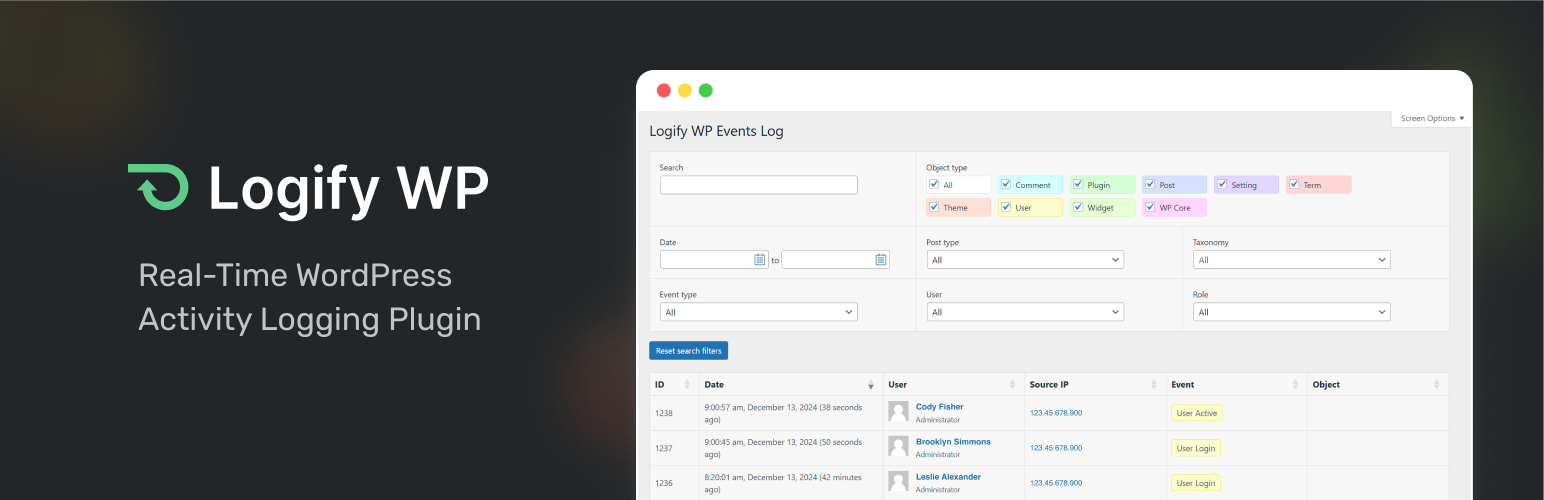

Logify WP — WordPress Security Plugin
Logify WP – Activity Log & User Audit Log
by Made Neat · WordPress.org page · Website
Logify WP has 300+ active installs on WordPress.org and 4,023 downloads all time. It was downloaded 211 times in the last 30 days. The last update was on August 27, 2026, tested up to WordPress 7.1.3.
Logify WP at a glance
Is Logify WP well maintained?
Features
The feature list from the plugin's own readme on WordPress.org, trimmed to the essentials.
- Activity Log Overview: Get a complete chronological view of all logged activities across your WordPress site. Ideal for tracking patterns, diagnosing issues…
- User Audit Log: Drill down into individual user activity with dedicated audit trails. See exactly what each user did, when, and from where, perfect for…
- Track Core WordPress Activities: Record actions on posts, pages, custom post types, taxonomies, plugins, themes, users, and more
- Real-time Monitoring: Get instant insights into who made changes, when, and where, via a secure event log
- Action Notes (New!): Add and search notes linked to actions for improved tracking and accountability
- User Login Monitoring: Track user logins, logouts, and failed attempts with IP addresses
- Media Management: Know who is uploading, editing, or deleting media files and when
- Role-Based Access Control: Limit who can access the activity logs based on their WordPress role
- Advanced Search & Filters: Filter logs by user, date, post type, and more to quickly find specific actions
- User-Friendly Dashboard Widget: View the most recent critical activities in a quick summary
- IP Address Information Integration: One-click access to IP information via WhatIsMyIpAddress.com
Logify WP reviews and ratings
2 reviews on WordPress.org, with the most recent ones as their authors posted them.
2 reviews
- 5★
-
2
- 4★
-
0
- 3★
-
0
- 2★
-
0
- 1★
-
0
-
Effective, Easy, Great Support
This plugin is perfect for putting notes against activities in Wordpress. The revision capabilities of Wordpress is great, but having to compare two revisions can take time and can be complex even for small changes. While you still can't specifically "name" a revision, this plugin gets very close. I use it to put notes documenting small changes or testing on my website that are easily reversible to an older revision without having to constantly take backups and restore my site impact the performance and availability of my site. The developer is very responsive. My question was answered within 24 hours! It's very simple to use, it's effective, it's lightweight.
neuralytix -
A Must-Have for Site Monitoring and Keeping Track of Important Actions
Logify WP has become an essential tool for managing all my WordPress sites, providing real-time activity tracking and a clear log of actions performed. Whether it’s monitoring user logins, content edits, or plugin updates, this plugin ensures full visibility and accountability. Plus, the ability to add notes is the cherry on top, helping keep track of why changes were made, making it perfect for teams, freelancers, and site administrators.
sunny91189
Download and install history
416 downloads over the last 49 days. Snapshots taken daily from WordPress.org.
Details
Logify WP - Activity Log & User Audit Log tracks critical changes, logins, and updates with searchable logs for site security.
The full description, screenshots and every review live on the WordPress.org page.
Rankings Logify WP competes in
Tags
- Activity Log
- audit log
- event log
- security
- user tracking
More from Made Neat
-
 Acknowledgify 100+ installs
- Version
- 1.4.0
- Last updated
- Aug 27, 2026
- First published
- Nov 26, 2024
- Requires WordPress
- 6.2
- Tested up to
- 7.1.3
- Requires PHP
- 8.0
- Pricing
- Free on WordPress.org
Logify WP FAQ
What does Logify WP do?
According to its WordPress.org readme, Logify WP offers Activity Log Overview: Get a complete chronological view of all logged activities across your WordPress site. Ideal for tracking patterns, diagnosing issues, User Audit Log: Drill down into individual user activity with dedicated audit trails. See exactly what each user did, when, and from where, perfect for, Track Core WordPress Activities: Record actions on posts, pages, custom post types, taxonomies, plugins, themes, users, and more, Real-time Monitoring: Get instant insights into who made changes, when, and where, via a secure event log and Action Notes (New!): Add and search notes linked to actions for improved tracking and accountability.
How many active installs does Logify WP have?
WordPress.org reports 300+ active installs for Logify WP as of October 23, 2026.
Is Logify WP still maintained?
Yes. The last release was on August 27, 2026 and it is tested up to WordPress 7.1.3.
Is Logify WP free?
Logify WP is free to install from WordPress.org. Many plugins also sell a paid version or add-ons.