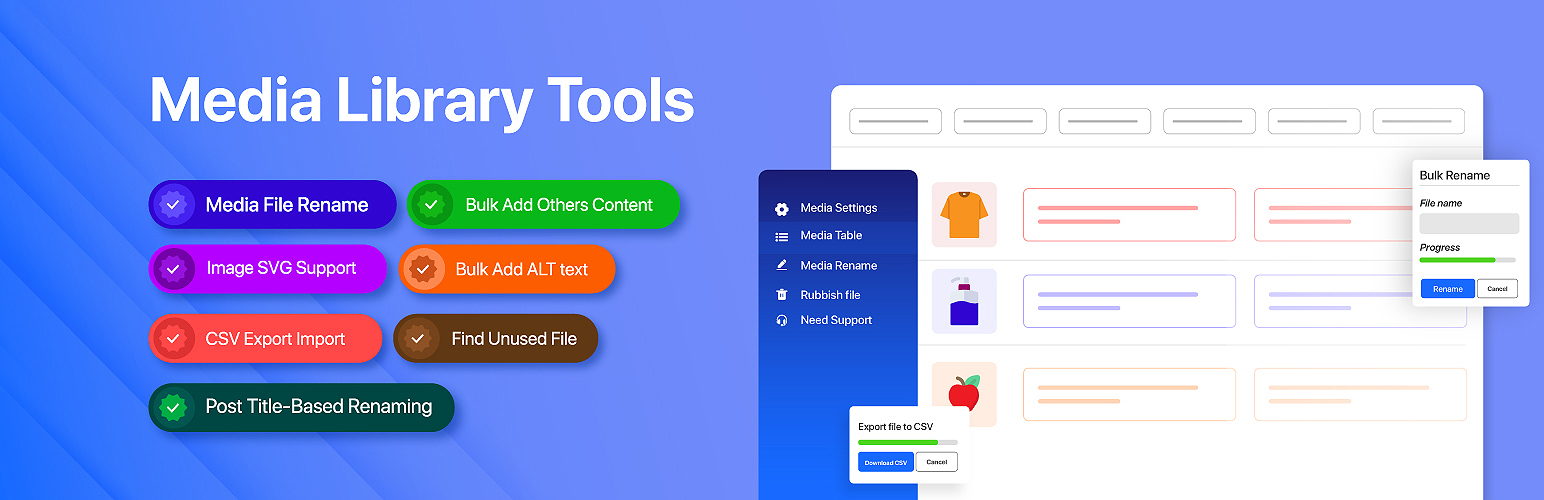

Media Library Tools — WordPress Image Optimization Plugin
Media Library Tools – AI-Powered Rename, Clean & CSV Import/Export
by Tiny Solutions · WordPress.org page · Website
Media Library Tools has 1,000+ active installs on WordPress.org and 43,510 downloads all time. We have tracked it since September 4, 2026; download trends appear after 30 days of data. The last update was on September 4, 2026, tested up to WordPress 7.1.
Media Library Tools at a glance
Is Media Library Tools well maintained?
Features
The feature list from the plugin's own readme on WordPress.org, trimmed to the essentials.
- Compress JPEG, PNG, and WebP images from a dedicated Compress Images page — no external service or API key required
- See at a glance how many images your library has, how many are already compressed, and how many remain
- Choose a compression level and compress everything that is left in one click — progress is shown in real time
- Three compression presets: High Quality (smallest visual change), Balanced (recommended), and Maximum Compression (largest savings)
- Uses the image library already installed on your server — ImageMagick where available, otherwise GD
- Compress or restore an individual image straight from its row in the Media Table
- Results show the before and after size, the percentage saved, and the total disk space reclaimed
- Images that are already fully optimised are marked skipped rather than reported as failures — a file is never made larger
- Originals are never overwritten directly: each image is compressed to a temporary file that is validated before it replaces the original
- Compression runs on the server, so you can close the window and the job keeps going
- Free version compresses up to 20 images per run
Media Library Tools reviews and ratings
14 reviews on WordPress.org, with the most recent ones as their authors posted them.
14 reviews
- 5★
-
13
- 4★
-
0
- 3★
-
0
- 2★
-
0
- 1★
-
1
-
SAVES A TON OF TIME!
Love the plugin... saved me a ton of time!
alexstojkovic -
Time saver!
Media Library Tools has made managing four sites with media libraries almost 20 years old much easier, saving me time and making our libraries more manageable, searchable, and useable by staff ad volunteers. The media rename and rubbish files tools are really useful. I wish Media Library Tools would help me share media libraries across multiple sites in my Multisite network- I know it's out of scope but it's so capable at everything else media related, why not that too?
connectworldwide -
Excellent for WooCommerce images
I use it as a fast, easy plugin to rename and add alt text to my Printful items in my WooCommerce site.
Freed -
useless without pro
sad, but again a useless plugin without buying the pro Version
fuu0 -
Very useful plugin
This helps me to keep my media organized and clean.
Supun Samarakoon -
Lo quiero comprar.
Es bueno, espero que tenga un buen soporte. 👍
albertoaqui
Where Media Library Tools ranks on WordPress.org
The rankings we track that Media Library Tools appears in, and how its position changed over 30 days.
| Ranking | WordPress.org placement | Position | 30 days |
|---|---|---|---|
| Best Image Optimization Plugins | #40 by tag, not in search | #70 | – |
Media Library Tools alternatives
Plugins that solve the same problem, ranked by how closely they overlap with Media Library Tools.
-
 Kraken.io Image Optimizer 10,000+ installs · 4.5
 -
 Highcompress 600+ installs · 4.9
 -
 MegaOptim Image Optimizer 100+ installs · 5.0
 -
 Flying Images 3,000+ installs · 4.8
 -
 Smush 1 million+ installs · 4.8
Details
AI-powered bulk rename, bulk edit metadata, compress images, find duplicates, clean up unused media, and more.
The full description, screenshots and every review live on the WordPress.org page.
Rankings Media Library Tools competes in
Tags
- Alt Text
- compress images
- csv export-import
- duplicate
- rename
More from Tiny Solutions
-
 Custom Post Type WooCommerce Integration 400+ installs
- Version
- 2.3.0
- Last updated
- Sep 4, 2026
- First published
- Mar 7, 2023
- Requires WordPress
- 6.5
- Tested up to
- 7.1
- Requires PHP
- 7.4
- Pricing
- Free on WordPress.org
Media Library Tools FAQ
What does Media Library Tools do?
According to its WordPress.org readme, Media Library Tools offers Compress JPEG, PNG, and WebP images from a dedicated Compress Images page — no external service or API key required, See at a glance how many images your library has, how many are already compressed, and how many remain, Choose a compression level and compress everything that is left in one click — progress is shown in real time, Three compression presets: High Quality (smallest visual change), Balanced (recommended), and Maximum Compression (largest savings) and Uses the image library already installed on your server — ImageMagick where available, otherwise GD.
How many active installs does Media Library Tools have?
WordPress.org reports 1,000+ active installs for Media Library Tools as of September 7, 2026.
Is Media Library Tools still maintained?
Yes. The last release was on September 4, 2026 and it is tested up to WordPress 7.1.
Does Media Library Tools have good support?
On the WordPress.org forum, 1 of 1 recent support threads for Media Library Tools are marked resolved. That is the developer's free support; a paid version usually comes with its own channel.
Is Media Library Tools free?
Media Library Tools is free to install from WordPress.org. Many plugins also sell a paid version or add-ons.
Where does Media Library Tools rank among Image Optimization Plugins?
Media Library Tools is #70 in the WordPress.org Image Optimization Plugins ranking.