
Minimum and Maximum Quantity for WooCommerce
by Dotstore · WordPress.org page · Website
Minimum and Maximum Quantity for WooCommerce has 3,000+ active installs on WordPress.org and 57,017 downloads all time. We have tracked it since September 4, 2026; download trends appear after 30 days of data. The last update was on August 25, 2026, tested up to WordPress 7.1.
Minimum and Maximum Quantity for WooCommerce at a glance
Is Minimum and Maximum Quantity for WooCommerce well maintained?
Features
The feature list from the plugin's own readme on WordPress.org, trimmed to the essentials.
- Set minimum and maximum quantity rules for products
- Customize minimum and maximum quantity for each product
- Apply quantity limits to variable products and product categories
- Set quantity rules based on the customer’s country
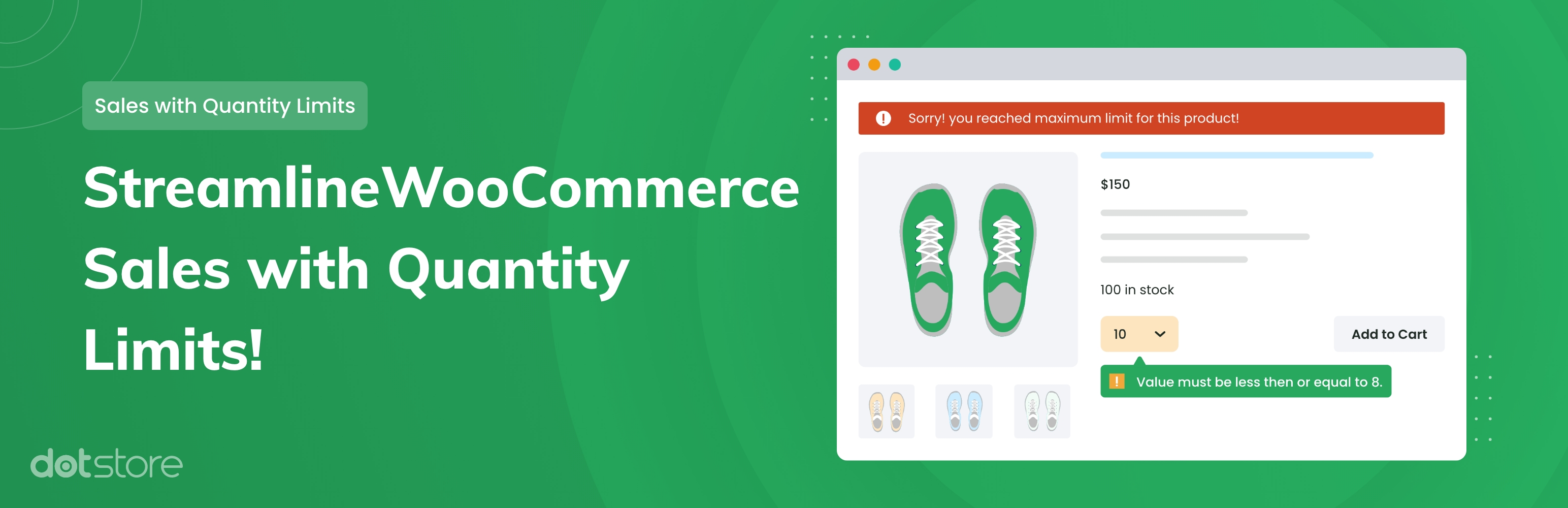
- Display validation messages if the maximum quantity limit is reached
- Set minimum and maximum order values to allow checkout
- Define minimum and maximum order quantities for checkout
- Set a limit on the number of items required to proceed with checkout
- Display custom messages and block checkout if global cart rules aren’t met
Minimum and Maximum Quantity for WooCommerce reviews and ratings
16 reviews on WordPress.org, with the most recent ones as their authors posted them.
16 reviews
- 5★
-
10
- 4★
-
1
- 3★
-
2
- 2★
-
1
- 1★
-
2
-
Simple, does what it says, and does it well.
Error: Your review cannot be empty.
iSpectra -
Excellent !
Excellent plugin that perfectly meets my needs. Support is fast and efficient in cas of problems, even for the free version.
engral -
Works Wonderfully!
This plugin works beautifully and easy to configure. Highly recommended!
zahir75 -
Very good!
Works very well, I like it!
dockalle -
A bug Appears
Hello, The plugin works fine when adding to basket , but after this while you reviewing your basket you can increase quantities normally, Big issue !!
atelsheikh -
My first impression is successful
I just started using the plugin. My first impression is successful. The rules structure is useful.
ornibacom
Minimum and Maximum Quantity for WooCommerce alternatives
Plugins that solve the same problem, ranked by how closely they overlap with Minimum and Maximum Quantity for WooCommerce.
-
 Min Max Step Quantity Limits Manager for WooCommerce 3,000+ installs · 4.9
Details
Allow you to set a minimum or maximum purchase quantity for the WooCommerce store.
The full description, screenshots and every review live on the WordPress.org page.
Tags
- maximum quantity
- minimum quantity
- products quantity
- quantity limit
- woocommrce quantity
More from Dotstore
-
 Hide Shipping Method For WooCommerce 10,000+ installs
 -
 Product Size Charts Plugin for WooCommerce 9,000+ installs
 -
 Extra Fees for WooCommerce 7,000+ installs
 -
 Product Attachment for WooCommerce 6,000+ installs
- Version
- 2.1.2
- Last updated
- Aug 25, 2026
- First published
- May 19, 2020
- Requires WordPress
- 5.0
- Tested up to
- 7.1
- Requires PHP
- 7.2
- Requires plugins
- WooCommerce
- Pricing
- Free on WordPress.org
Minimum and Maximum Quantity for WooCommerce FAQ
What does Minimum and Maximum Quantity for WooCommerce do?
According to its WordPress.org readme, Minimum and Maximum Quantity for WooCommerce offers Set minimum and maximum quantity rules for products, Customize minimum and maximum quantity for each product, Apply quantity limits to variable products and product categories, Set quantity rules based on the customer’s country and Display validation messages if the maximum quantity limit is reached.
How many active installs does Minimum and Maximum Quantity for WooCommerce have?
WordPress.org reports 3,000+ active installs for Minimum and Maximum Quantity for WooCommerce as of September 7, 2026.
Is Minimum and Maximum Quantity for WooCommerce still maintained?
Yes. The last release was on August 25, 2026 and it is tested up to WordPress 7.1.
Is Minimum and Maximum Quantity for WooCommerce free?
Minimum and Maximum Quantity for WooCommerce is free to install from WordPress.org. Many plugins also sell a paid version or add-ons.