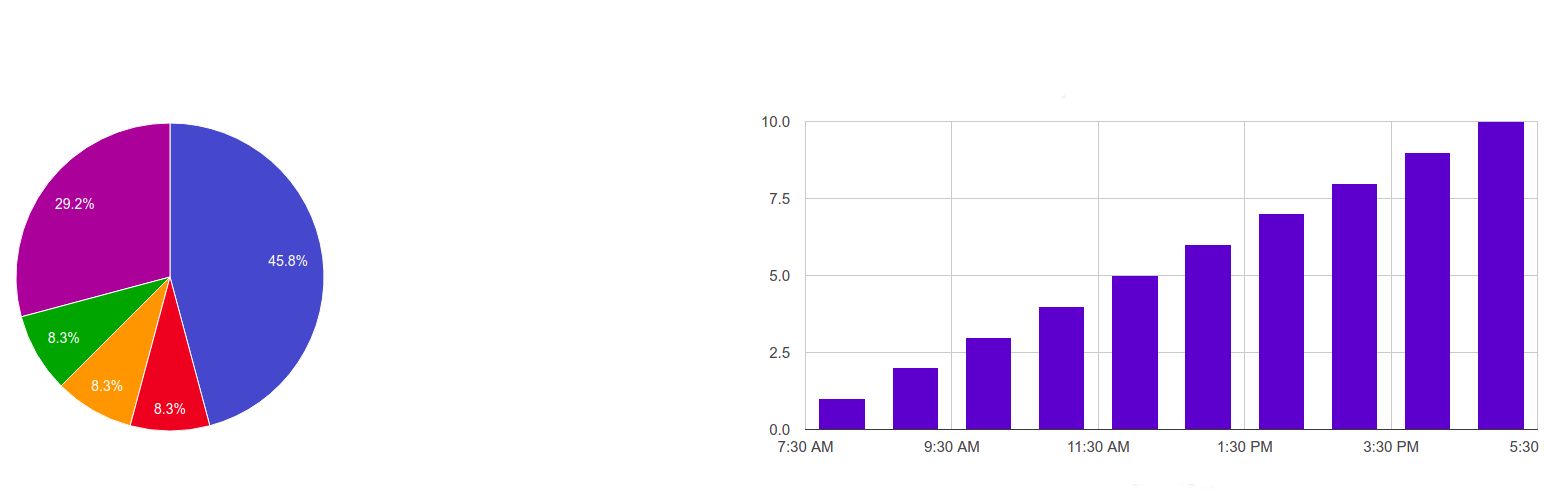

SQL Chart Builder
by Elvin Haci · WordPress.org page · Website
SQL Chart Builder has 500+ active installs on WordPress.org and 34,423 downloads all time. We have tracked it since September 4, 2026; download trends appear after 30 days of data. The last update was on September 5, 2026, tested up to WordPress 7.1.2.
SQL Chart Builder at a glance
Is SQL Chart Builder well maintained?
Features
The feature list from the plugin's own readme on WordPress.org, trimmed to the essentials.
- A completely redesigned chart builder. No more “nerd-only” settings page: a clean, tabbed UI walks you through Chart & Data → Dynamic Filters → Style → Advanced
- Visual chart type picker with built-in guides. Every chart type shows a short “when to use it” guide plus a working example query you can insert with one click
- Live SQL autocomplete. Start typing and the editor suggests SQL keywords (type “S” — get SELECT), your real database table names and real column names. Type…
- Click-to-build query toolbar. SELECT / COUNT(*) / FROM / WHERE / GROUP BY / ORDER BY / LIMIT buttons plus “Insert table”, “Insert column” and “Insert dynamic…
- No-code input filters. Add date/number/text filters as simple rows (tag, type, label, default) — the tag dropdown suggests {tags} already used in your query…
- Dropdown column mapping. The X/Y axis fields are dropdowns filled with the columns detected in your SQL query — no more guessing column names
- Color pickers instead of typing hex codes, and a fixed professional default palette instead of random colors
- Latest Chart.js v4, bundled inside the plugin — no third-party CDN calls, GDPR-friendly
- 4 new chart types: Radar, Stepped Line, Stacked Bar and Scatter
- Better front-end design: modern table view, restyled filter form and datepicker
- Full legacy support: charts created with 2.x keep working unchanged. Deprecated Google-Chart types are automatically mapped to modern equivalents when you…
SQL Chart Builder reviews and ratings
22 reviews on WordPress.org, with the most recent ones as their authors posted them.
22 reviews
- 5★
-
15
- 4★
-
0
- 3★
-
1
- 2★
-
2
- 1★
-
4
-
Great lightweight plugin for visualizations
Great free plugin with very fast support when needed, good performance, lightweight. Absolutely recommended.My favorite for real time visualizations of information from wordpress database. I use it instead of embedding Google Looker Studio reports.
pamal -
Be careful, wait for update
Current version of SQL Chart Builder not compatible with PHP 8 and WP 6.1.1. It will block your website immediately after installing.
eicken71 -
Highly recommended chart plugin
A very powerful yet simple to use solution to display chart data directly from SQL queries. Support is first class and very quick if required. I road tested a number of other plugins before choosing SQL Chart Builder and this was definately the leader. 110% recommend.
speleo -
how to show values directly on a bar chart
how to show values directly on a bar chart
missvanna -
Very easy to create charts directly from DB
This plugin is exactly what I was looking for - a way to display charts of user data on a membership site. It's the only plugin I could find in the repository that makes charts directly from sql, without requiring a pro version or adding a ton of other functionality. After a quick run through of the SQL tutorials on W3Schools, I was creating just the charts I needed. Will be using this on other sites.
tnightingale -
mySql connectivity
This is a great plugin with great support and help. I needed assistance and they were right there with the solution. Too many of these plugins offer next to nothing in their free version and then say upgrade to the PRO version to do stuff you really want to do. This plugin does what those ask a premium for. As soon as this plugin develops a pro version, I'm getting on board!! I tried a bunch of the chart plugins and this one worked great out of the box. Skip the others.
raypierce
Details
Turn your SQL queries into beautiful dynamic charts with a visual SQL builder, live autocomplete and no-code date/input filters.
The full description, screenshots and every review live on the WordPress.org page.
Tags
- charts
- mysql
- sql
- sql chart
- visualizer
More from Elvin Haci
-
 CartLink Generator 90+ installs
 -
 Upload to Dropbox 10+ installs
 -
 Tips & Donations at WooCommerce Checkout 10+ installs
 -
 HEXAM 10+ installs
- Version
- 3.0.2
- Last updated
- Sep 5, 2026
- First published
- Feb 25, 2016
- Requires WordPress
- 5.0.0
- Tested up to
- 7.1.2
- Requires PHP
- –
- Pricing
- Free on WordPress.org
SQL Chart Builder FAQ
What does SQL Chart Builder do?
According to its WordPress.org readme, SQL Chart Builder offers A completely redesigned chart builder. No more “nerd-only” settings page: a clean, tabbed UI walks you through Chart & Data → Dynamic Filters → Style → Advanced, Visual chart type picker with built-in guides. Every chart type shows a short “when to use it” guide plus a working example query you can insert with one click, Live SQL autocomplete. Start typing and the editor suggests SQL keywords (type “S” — get SELECT), your real database table names and real column names. Type, Click-to-build query toolbar. SELECT / COUNT(*) / FROM / WHERE / GROUP BY / ORDER BY / LIMIT buttons plus “Insert table”, “Insert column” and “Insert dynamic and No-code input filters. Add date/number/text filters as simple rows (tag, type, label, default) — the tag dropdown suggests {tags} already used in your query.
How many active installs does SQL Chart Builder have?
WordPress.org reports 500+ active installs for SQL Chart Builder as of September 7, 2026.
Is SQL Chart Builder still maintained?
Yes. The last release was on September 5, 2026 and it is tested up to WordPress 7.1.2.
Does SQL Chart Builder have good support?
On the WordPress.org forum, 0 of 1 recent support threads for SQL Chart Builder are marked resolved. That is the developer's free support; a paid version usually comes with its own channel.
Is SQL Chart Builder free?
SQL Chart Builder is free to install from WordPress.org. Many plugins also sell a paid version or add-ons.