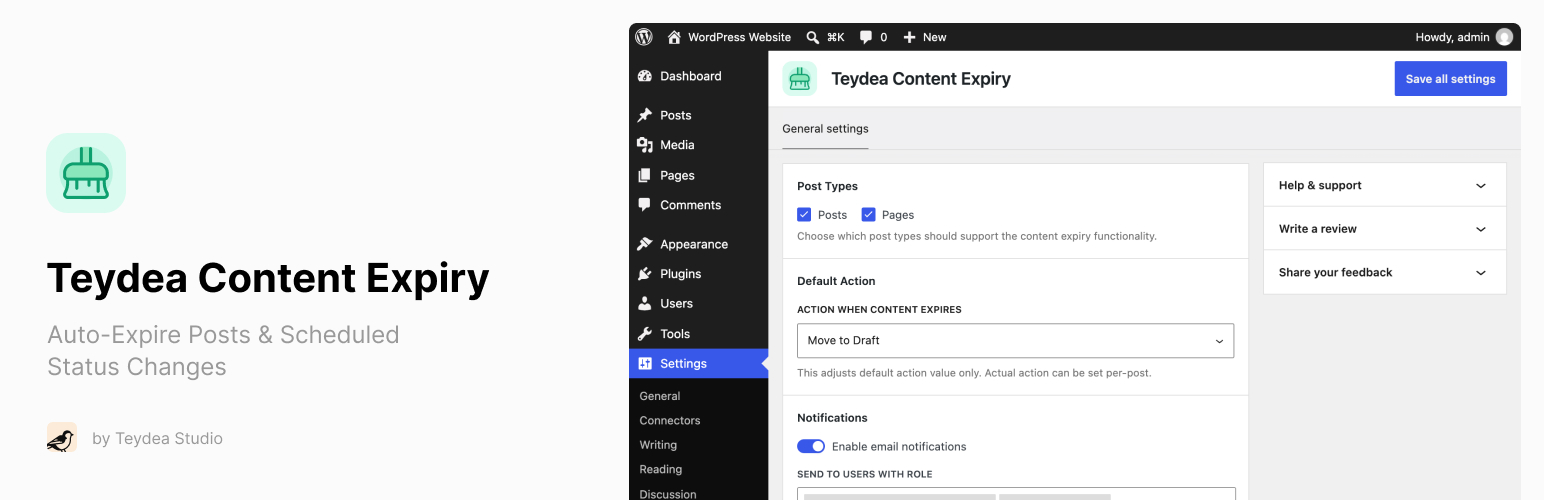

Teydea Content Expiry
Teydea Content Expiry – Auto-Expire Posts & Scheduled Status Changes
by Teydea Studio · WordPress.org page
Teydea Content Expiry has fewer than 10 active installs on WordPress.org and 320 downloads all time. We have tracked it since September 4, 2026; download trends appear after 30 days of data. The last update was on August 27, 2026, tested up to WordPress 7.1.
Teydea Content Expiry at a glance
Is Teydea Content Expiry well maintained?
Features
The feature list from the plugin's own readme on WordPress.org, trimmed to the essentials.
- Expiry Date and Action – Set an expiry date and time on any supported post type, and choose what happens: Move to Draft, Make Private, or Move to Trash
- Block Editor Integration – Sidebar panel in Gutenberg for configuring expiry date, time, and action
- Classic Editor Integration – Metabox in the sidebar for configuring expiry on sites using the Classic Editor
- Posts List Column – Sortable expiry column in admin list tables showing scheduled or past expiry dates
- Expired Posts Filter – Dedicated “Expired” view in the posts list with a count of expired posts
- Quick Edit and Bulk Edit – Edit expiry settings inline or for multiple posts at once
- Dashboard Widget – “Expiring Soon” widget showing posts approaching their expiry date within a configurable time window
- Email Notifications – Get notified when content expires, with optional pre-expiry warnings (1, 3, or 7 days before)
- Configurable Recipients – Send notifications to specific user roles or individual users
- Expiry Countdown Block – Display a live countdown timer or static date on the front end, with customizable colors and thresholds. Also available as a…
- Timed Content Block – Show or hide content based on a date, relative time from publish, or the post’s expiry date. Also available as a…
- Automatic Scheduling – Expiry is automatically canceled on trash/delete and rescheduled on restore
Details
Set expiry dates on posts and pages to automatically change status, notify editors, and display countdowns.
The full description, screenshots and every review live on the WordPress.org page.
Tags
- content expiry
- content management
- expiration date
- post expiry
- scheduled content
More from Teydea Studio
-
 Teydea Login Customizer 10,000+ installs
 -
 Teydea Password Reset 500+ installs
 -
 Teydea Login Security 200+ installs
 -
 Teydea Hiring Center fewer than 10 installs
- Version
- 1.1.0
- Last updated
- Aug 27, 2026
- First published
- May 6, 2026
- Requires WordPress
- 6.6
- Tested up to
- 7.1
- Requires PHP
- 7.4
- Pricing
- Free on WordPress.org
Teydea Content Expiry FAQ
What does Teydea Content Expiry do?
According to its WordPress.org readme, Teydea Content Expiry offers Expiry Date and Action – Set an expiry date and time on any supported post type, and choose what happens: Move to Draft, Make Private, or Move to Trash, Block Editor Integration – Sidebar panel in Gutenberg for configuring expiry date, time, and action, Classic Editor Integration – Metabox in the sidebar for configuring expiry on sites using the Classic Editor, Posts List Column – Sortable expiry column in admin list tables showing scheduled or past expiry dates and Expired Posts Filter – Dedicated “Expired” view in the posts list with a count of expired posts.
How many active installs does Teydea Content Expiry have?
WordPress.org reports fewer than 10 active installs for Teydea Content Expiry as of September 7, 2026.
Is Teydea Content Expiry still maintained?
Yes. The last release was on August 27, 2026 and it is tested up to WordPress 7.1.
Is Teydea Content Expiry free?
Teydea Content Expiry is free to install from WordPress.org. Many plugins also sell a paid version or add-ons.