
Sticky Copy Button for Code Blocks
by Kasuga · WordPress.org page
Sticky Copy Button for Code Blocks has 50+ active installs on WordPress.org and 1,353 downloads all time. It was downloaded 146 times in the last 30 days. The last update was on September 28, 2026, tested up to WordPress 7.1.3.
Sticky Copy Button for Code Blocks at a glance
Is Sticky Copy Button for Code Blocks well maintained?
Features
The feature list from the plugin's own readme on WordPress.org, trimmed to the essentials.
- Adjustable button position (up/down and left/right)
- Customizable labels (“Copy” / “Copied”)
- Adjustable font size
- Background color, text color, or transparent mode
- Max-height option for large code blocks (with scroll support)
- Optional line numbers (simple native implementation)
- Custom CSS that is safely sanitized
Sticky Copy Button for Code Blocks reviews and ratings
2 reviews on WordPress.org, with the most recent ones as their authors posted them.
2 reviews
- 5★
-
1
- 4★
-
1
- 3★
-
0
- 2★
-
0
- 1★
-
0
-
Excellent plug-in
A great little plug-in that does exactly what I want. Simple to set up, automatically adds a copy button to any code block.
ch3252 -
Simple and works well
This is an excellent companion to the native code block in WordPress. It adds a code button inside the code block, which I prefer so it doesn't take up too much room. I had to add some CSS overrides in my theme to maintain the appearance of my code block style, and to move the button to the far right of the block where I wanted it. I'm giving it 4 stars because of that, but I otherwise would have given it 5 stars for ease of use. /* Removes 50px padding added by the plugin's CSS */.code-block-wrapper { padding-right: 0 !important; }/* Forces the button to move to the right after removing the 50px padding */.copy-code-btn { right:4px !important; }
Coywolf
Download and install history
201 downloads over the last 49 days. Snapshots taken daily from WordPress.org.
Details
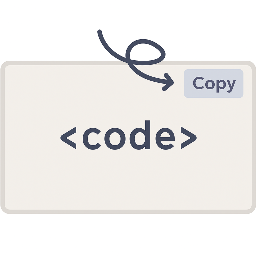
Adds a floating "Copy" button to every code block, with extensive styling options, optional line numbers, max-height control, and custom CSS support.
The full description, screenshots and every review live on the WordPress.org page.
Tags
- button
- code
- copy
- copy button
- line-numbers
More from Kasuga
-
 PV Sort Plus for Cocoon 100+ installs
 -
 Quick Translate POT/PO/MO 30+ installs
 -
 SteClick Counter 30+ installs
 -
 SheetMirror for Google Sheets 20+ installs
- Version
- 1.6.0
- Last updated
- Sep 28, 2026
- First published
- Aug 23, 2025
- Requires WordPress
- 5.0
- Tested up to
- 7.1.3
- Requires PHP
- 7.4
- Pricing
- Free on WordPress.org
Sticky Copy Button for Code Blocks FAQ
What does Sticky Copy Button for Code Blocks do?
According to its WordPress.org readme, Sticky Copy Button for Code Blocks offers Adjustable button position (up/down and left/right), Customizable labels (“Copy” / “Copied”), Adjustable font size, Background color, text color, or transparent mode and Max-height option for large code blocks (with scroll support).
How many active installs does Sticky Copy Button for Code Blocks have?
WordPress.org reports 50+ active installs for Sticky Copy Button for Code Blocks as of October 23, 2026.
Is Sticky Copy Button for Code Blocks still maintained?
Yes. The last release was on September 28, 2026 and it is tested up to WordPress 7.1.3.
Is Sticky Copy Button for Code Blocks free?
Sticky Copy Button for Code Blocks is free to install from WordPress.org. Many plugins also sell a paid version or add-ons.