
Theme Editor
by mndpsingh287 · WordPress.org page · Website
Theme Editor has 50,000+ active installs on WordPress.org and 945,743 downloads all time. It was downloaded 6,082 times in the last 30 days. The last update was on March 19, 2026, tested up to WordPress 6.9.10.
Theme Editor at a glance
Is Theme Editor well maintained?
Features
The feature list from the plugin's own readme on WordPress.org, trimmed to the essentials.
- Users Permissions
- User Role Permissions
- Email Notifications to Admin
- Edit Theme Files
- Code Editors Supports PHP, HTML, CSS and JavaScript
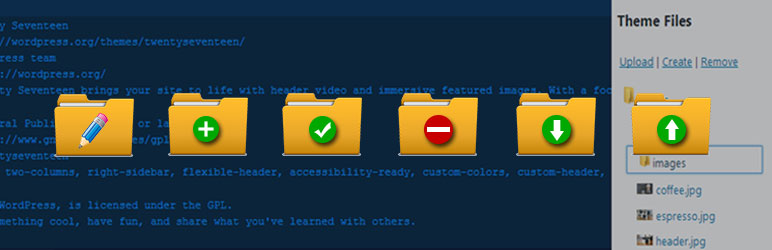
- Create and remove folder in themes
- Create and remove files in themes
- Upload and download files in themes
- Download whole theme
- Edit Plugin Files
- Create and remove folder in plugins
- Create and remove files in plugins
Theme Editor reviews and ratings
128 reviews on WordPress.org, with the most recent ones as their authors posted them.
128 reviews
- 5★
-
108
- 4★
-
9
- 3★
-
2
- 2★
-
0
- 1★
-
9
-
Very usefull
Just usefull, I´d like a bigger text editor, but still a great solution.
alexpenalosa -
Helpful
Have found it useful when creating new plugins
qykzoo -
Very Handy
Saved me alot of headache
idenmorisha -
Super handy!
Massive thanks to the dev team for maintaining this.
binjuice -
really helpful
this plugin saves me a lot of time.
wordpressowicz -
Huge problems, no thanks!
1.) This editor copied PHP from one plugin to another without me knowing. Totally overwrote the code of one of my plugin files without me knowing! All of a sudden my plugin menu started registering two plugins with the same name, and I looked, and one, the contents of the main file had been copied over from a totally different plugin!2.) This cost me almost 8 hours of troubleshooting because it defaults to silently removing version numbers from theme CSS files, which I use in my theme. Made it impossible to update the css on my site without manually clearing my browser cache every single time. I lost a whole night on this!3.) Not that big a deal, but nice idea to have a themeable editor but not if you can't preview the themes and have to keep tediously flipping between tabs to see what they look like. Also not if mosty of them are pretty ugly.
synthezoid
Download and install history
9,861 downloads over the last 48 days. Snapshots taken daily from WordPress.org.
Theme Editor alternatives
Plugins that solve the same problem, ranked by how closely they overlap with Theme Editor.
-
 WPIDE 40,000+ installs · 4.8
 -
 WP Editor 20,000+ installs · 4.5
 -
 SiteOrigin CSS 100,000+ installs · 4.9
 -
 What The File 40,000+ installs · 4.9
 -
 Download Attachments 8,000+ installs · 4.5
Details
Theme Editor allows you to edit theme files, create folder, upload files and remove any file and folder in themes and plugins.
The full description, screenshots and every review live on the WordPress.org page.
Tags
- editor
- file
- theme
- theme editor
- wp
More from mndpsingh287
-
 Duplicate Page 3 million+ installs
 -
 File Manager 1 million+ installs
 -
 WP Mail 700+ installs
 -
 Sticky Header 100+ installs
- Version
- 3.2
- Last updated
- Mar 19, 2026
- First published
- Apr 24, 2017
- Requires WordPress
- 3.4
- Tested up to
- 6.9.10
- Requires PHP
- 5.2.4
- Pricing
- Free on WordPress.org
Theme Editor FAQ
What does Theme Editor do?
According to its WordPress.org readme, Theme Editor offers Users Permissions, User Role Permissions, Email Notifications to Admin, Edit Theme Files and Code Editors Supports PHP, HTML, CSS and JavaScript.
How many active installs does Theme Editor have?
WordPress.org reports 50,000+ active installs for Theme Editor as of October 22, 2026.
Is Theme Editor still maintained?
Yes. The last release was on March 19, 2026 and it is tested up to WordPress 6.9.10.
Does Theme Editor have good support?
On the WordPress.org forum, 0 of 1 recent support threads for Theme Editor are marked resolved. That is the developer's free support; a paid version usually comes with its own channel.
Is Theme Editor free?
Theme Editor is free to install from WordPress.org. Many plugins also sell a paid version or add-ons.