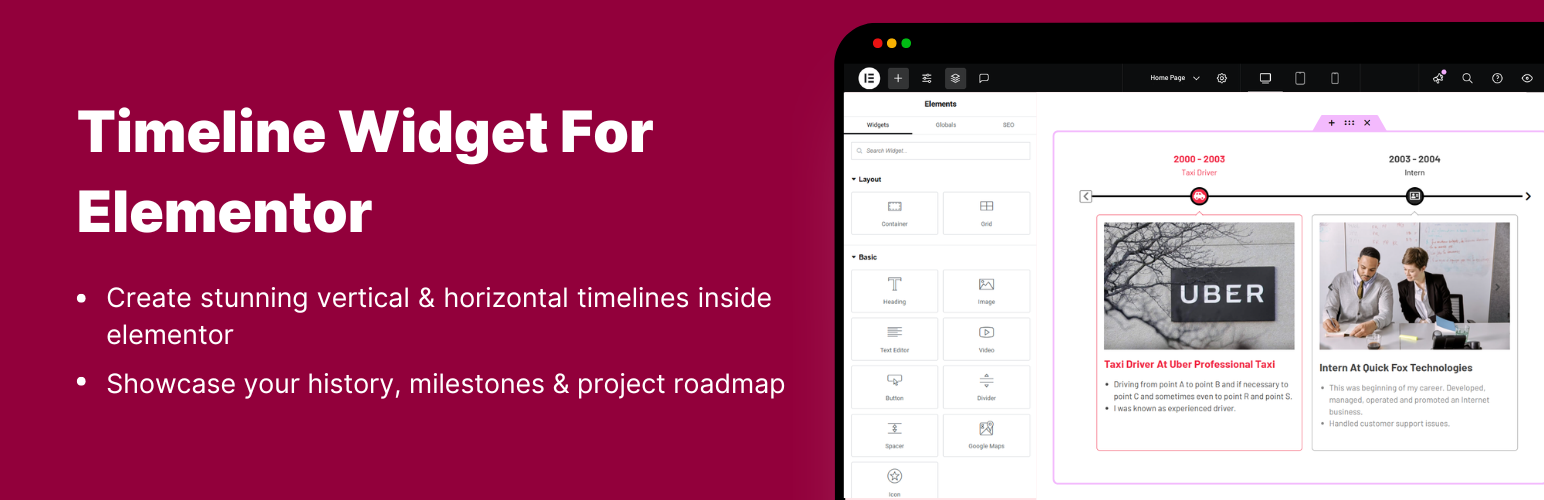
Timeline Widget For Elementor
Timeline Widget For Elementor (Elementor Timeline, Vertical & Horizontal Timeline)
by Narinder Singh · WordPress.org page · Website
Timeline Widget For Elementor has 70,000+ active installs on WordPress.org and 1,815,442 downloads all time. It was downloaded 43,904 times in the last 30 days. The last update was on September 25, 2026, tested up to WordPress 7.1.3.
Timeline Widget For Elementor at a glance
Is Timeline Widget For Elementor well maintained?
Features
The feature list from the plugin's own readme on WordPress.org, trimmed to the essentials.
- Compatibility with Elementor: Fully integrated with Elementor, simply drag and drop the timeline widget into any page and start customizing your timeline…
- Story Timeline: Perfect for showcasing any type of story or chronological content like company history, career paths, product journeys, or blog timelines
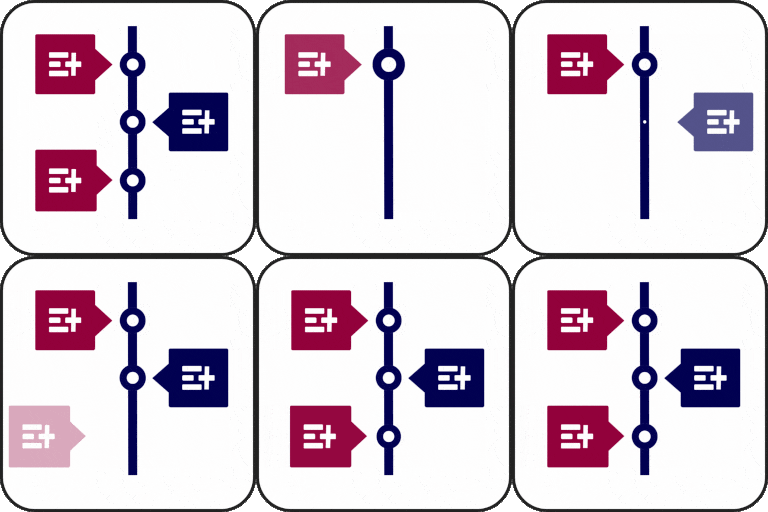
- Multiple Layouts: Choose between vertical timelines or horizontal layouts according to your preferences
- Pre-made Templates: Use pre-designed timeline slider layouts to quickly create a timeline. Just choose a template, add your content, and customize it to match…
- Font Awesome Icons Support: Assign icons to each timeline step using the built-in Font Awesome library according to the story
- Custom Labels: Add personalized text labels to each timeline step and display important details like dates, years, event names, or step numbers
- Image & Multimedia Support: Enhance your timeline’s engagement using interactive images that visually tell your story
- Timeline Customization: Customize typography, colors, backgrounds, spacing, and borders of your story elements for a more personalized look
- Content Alignment Options: Align your text and media (left, right, or center) according to your design and layout
- Compatible with all WordPress Themes: Timeline widget plugin is fully compatible with all WordPress themes
- Fully Responsive: This plugin is fully responsive, ensuring that your events display perfectly on all screen sizes
Timeline Widget For Elementor reviews and ratings
247 reviews on WordPress.org, with the most recent ones as their authors posted them.
247 reviews
- 5★
-
225
- 4★
-
13
- 3★
-
4
- 2★
-
2
- 1★
-
3
-
Makes Things Easy
After trying a number of elements to capture the essence of timeline, my client instantly loved the way this plugin works. Many thanks to the developers.
Obunga -
Perfect
Using free version, matching our needs
hrtc3c7 -
Works great
Works as advertised. Simple to use.
videobob -
Elementor widget time line
Most kezdtem használni és nagyon tetszik!
grotwebdesigner -
Gratis es muy limtado, pero funciona.
La version gratis, es muy limitada. Solo te permite 1 solo tipo de timeline, en posicion vertical u horizontal. pero al menos funciona.
tractorbeam -
Abdo Mohamed
Great plugin
abdomohamed1
Download and install history
78,406 downloads over the last 48 days. Snapshots taken daily from WordPress.org.
Timeline Widget For Elementor alternatives
Plugins that solve the same problem, ranked by how closely they overlap with Timeline Widget For Elementor.
-
 Vertical Timeline Widget for Elementor 10,000+ installs · 4.8
 -
 Post Timeline 800+ installs · 4.2
 -
 Event Timeline 1,000+ installs · 4.7
 -
 Simple History 300,000+ installs · 4.9
 -
 WP Activity Log 300,000+ installs · 4.7
Details
Highlight your company’s history, milestones, and key events directly inside Elementor using stunning vertical and horizontal timelines.
The full description, screenshots and every review live on the WordPress.org page.
Tags
- elementor timeline
- history
- Horizontal Timeline
- roadmap
- timeline
More from Narinder Singh
-
 LocoAI 70,000+ installs
 -
 Country & Phone Field Contact Form 7 40,000+ installs
 -
 Cool Timeline 20,000+ installs
 -
 Events Shortcodes For The Events Calendar 10,000+ installs
- Version
- 1.7.2
- Last updated
- Sep 25, 2026
- First published
- Feb 14, 2020
- Requires WordPress
- 5.0
- Tested up to
- 7.1.3
- Requires PHP
- 7.2
- Pricing
- Free on WordPress.org
Timeline Widget For Elementor FAQ
What does Timeline Widget For Elementor do?
According to its WordPress.org readme, Timeline Widget For Elementor offers Compatibility with Elementor: Fully integrated with Elementor, simply drag and drop the timeline widget into any page and start customizing your timeline, Story Timeline: Perfect for showcasing any type of story or chronological content like company history, career paths, product journeys, or blog timelines, Multiple Layouts: Choose between vertical timelines or horizontal layouts according to your preferences, Pre-made Templates: Use pre-designed timeline slider layouts to quickly create a timeline. Just choose a template, add your content, and customize it to match and Font Awesome Icons Support: Assign icons to each timeline step using the built-in Font Awesome library according to the story.
How many active installs does Timeline Widget For Elementor have?
WordPress.org reports 70,000+ active installs for Timeline Widget For Elementor as of October 22, 2026.
Is Timeline Widget For Elementor still maintained?
Yes. The last release was on September 25, 2026 and it is tested up to WordPress 7.1.3.
Does Timeline Widget For Elementor have good support?
On the WordPress.org forum, 1 of 1 recent support threads for Timeline Widget For Elementor are marked resolved. That is the developer's free support; a paid version usually comes with its own channel.
Is Timeline Widget For Elementor free?
Timeline Widget For Elementor is free to install from WordPress.org. Many plugins also sell a paid version or add-ons.