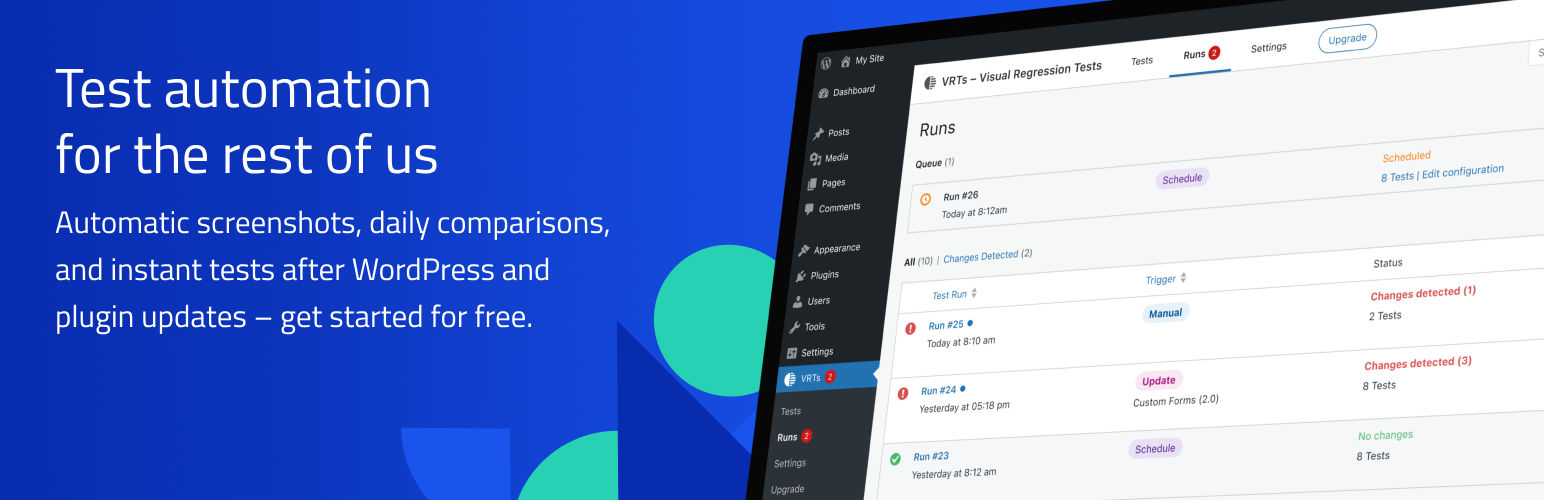

Visual Regression Tests
VRTs – Visual Regression Tests
by Bleech · WordPress.org page · Website
Visual Regression Tests has 800+ active installs on WordPress.org and 20,670 downloads all time. We have tracked it since September 4, 2026; download trends appear after 30 days of data. The last update was on August 17, 2026, tested up to WordPress 7.0.4.
Visual Regression Tests at a glance
Is Visual Regression Tests well maintained?
Features
The feature list from the plugin's own readme on WordPress.org, trimmed to the essentials.
- No Setup: After plugin activation, the frontpage is immediately monitored and alerts are sent to the WordPress admin email
- Daily Tests: The plugin monitors selected posts and pages and compares screenshots daily
- Hide Elements: Hide dynamic or irrelevant elements to prevent false positives in your tests
- Click Element: Define an element that should be clicked before taking a screenshot. This is useful for closing cookie banners or modals
- Email Notifications: As soon as a change is detected between the snapshot and the comparison screenshot, you will be notified via email
- Fullscreen Review: Inspect changes up close using the difference view and comparison slider in fullscreen mode
- Read / Unread: Keep track of test results that require further attention by marking alerts as unread
- Flag False Positives: Identify acceptable changes or non-issues to minimize unnecessary notifications
- Update Automation (Pro): Automatically trigger tests on WordPress core, plugin, theme, or language updates and catch any issues right away
- Manual Testing (Pro): Run tests manually on demand, either for all configured pages or for specific pages, to verify any changes or global edits immediately
- API Integration (Pro): Trigger tests via PHP scripts or WP CLI for integration with other tools, deployment pipelines, or custom automations
- Customizable Notifications (Pro): Specify email addresses for each trigger, to set up notifications for various teams or stakeholders
Visual Regression Tests reviews and ratings
9 reviews on WordPress.org, with the most recent ones as their authors posted them.
9 reviews
- 5★
-
8
- 4★
-
0
- 3★
-
0
- 2★
-
0
- 1★
-
1
-
Awesome Plugin. Impressive Support!
Being able to monitor all my sites for those strange visual changes that sometimes happen after a theme or plugin update is priceless. I've worked a bit with support to streamline/exclude some elements of my pages that move, like a video header or carousel or animated button, and I now have this very trustworthy tool to alert me if a site gets wonky. Beyond that, the team working on this plugin is kind and super responsive and open to feedback, which is definitely a big plus. I do have Pro, but the Free works equally as well if you don't need to trigger manual tests (which I find useful to do after doing updates I know will cause an alert so I don't have to wait for it the next day). Other VRT solutions I found want a bunch of money per site and that just isn't realistic for us freelance web folks. This plugin is GREAT!!!
Ren -
Great QA Tool for Multi-Site Updating
I absolutely love this tool and highly recommend it to any freelancers updating multiple sites on a regular basis. It provides a level of comfort because it will catch changes and errors automatically rather than waiting to hear from a client or scrolling way too many pages to assure no errors after updates.
baermktg -
Simple, essential and works brilliantly
Simple, essential and works brilliantly. Thanks for a great tool!
asafm7 -
You won't regret it
DISCLAIMER: Yes I work for the company, but I have worked for many companies and I never recommended a product which I was not convinced of. And because I still have 30+ years until retirement, the time for me to move on will come and I don't want to undermine my credibility and come in a situation where they tell me in my new company "So, you recommended this tool, it was horrible!"And I also work in support, so the last thing I want is to have for example our clients install a tool that brings me headache. Considering all this, I can only recommend this tool. It makes monitoring a website so much easier and I already don't want to work without it anymore.But don't believe my words, test it yourself and you will see what I mean.
clusterchris -
Very helpful tool
It's very convenient to track visual bugs or editor's errors and prevent them from getting to the production site. Disclaimer: I work at the company that built this plugin and we use it for our clients websites, it does its job well.
dr.mykola -
(x) doubt
tja. right now we can't do anything with the plugin : the "add new" test button is disabled. i have tested and verified this on several wordpress installs with various sets of install plugins - including a fresh clean install. the only published version of this plugin right now is 1.0.0 which leads me to think that the four previous reviews are probably fake. one of them even has the author company name in its nickname (mykolableech) another one has only one other plugin review, and that is on another bleech plugin (skil3e) the other two reviews are by very recent accounts : both created just before posting the review. come on guys, this plugin has very promising features and huge potential. the product page on your website is very exciting. i have been waiting for the release for a long time... i even had a pagescreen monitor on your website to make sure i didn't miss it ! (such irony) you can do better than this ! i'll edit this review if anything changes.
pmachart
Details
Keep your WordPress websites bug-free with automatic screenshots, daily comparisons, and instant tests after WordPress and plugin updates.
The full description, screenshots and every review live on the WordPress.org page.
Tags
- regression
- tests
- visual
- visual regression
- vrts
More from Bleech
-
 ACF Hide Layout 2,000+ installs
- Version
- 2.1.0
- Last updated
- Aug 17, 2026
- First published
- Nov 28, 2022
- Requires WordPress
- 5.0
- Tested up to
- 7.0.4
- Requires PHP
- 7.0
- Pricing
- Free, paid version available
Visual Regression Tests FAQ
What does Visual Regression Tests do?
According to its WordPress.org readme, Visual Regression Tests offers No Setup: After plugin activation, the frontpage is immediately monitored and alerts are sent to the WordPress admin email, Daily Tests: The plugin monitors selected posts and pages and compares screenshots daily, Hide Elements: Hide dynamic or irrelevant elements to prevent false positives in your tests, Click Element: Define an element that should be clicked before taking a screenshot. This is useful for closing cookie banners or modals and Email Notifications: As soon as a change is detected between the snapshot and the comparison screenshot, you will be notified via email.
How many active installs does Visual Regression Tests have?
WordPress.org reports 800+ active installs for Visual Regression Tests as of September 7, 2026.
Is Visual Regression Tests still maintained?
Yes. The last release was on August 17, 2026 and it is tested up to WordPress 7.0.4.
Is Visual Regression Tests free?
Visual Regression Tests is free to install from WordPress.org. The developer lists it as commercial, so a paid version or paid add-ons exist.