Code Block Pro
Code Block Pro – Beautiful Syntax Highlighting
by Kevin Batdorf · WordPress.org page · Website
Code Block Pro has 10,000+ active installs on WordPress.org and 174,909 downloads all time. It was downloaded 2,183 times in the last 30 days. The last update was on August 15, 2026, tested up to WordPress 7.1.3.
Code Block Pro at a glance
Is Code Block Pro well maintained?
Features
The feature list from the plugin's own readme on WordPress.org, trimmed to the essentials.
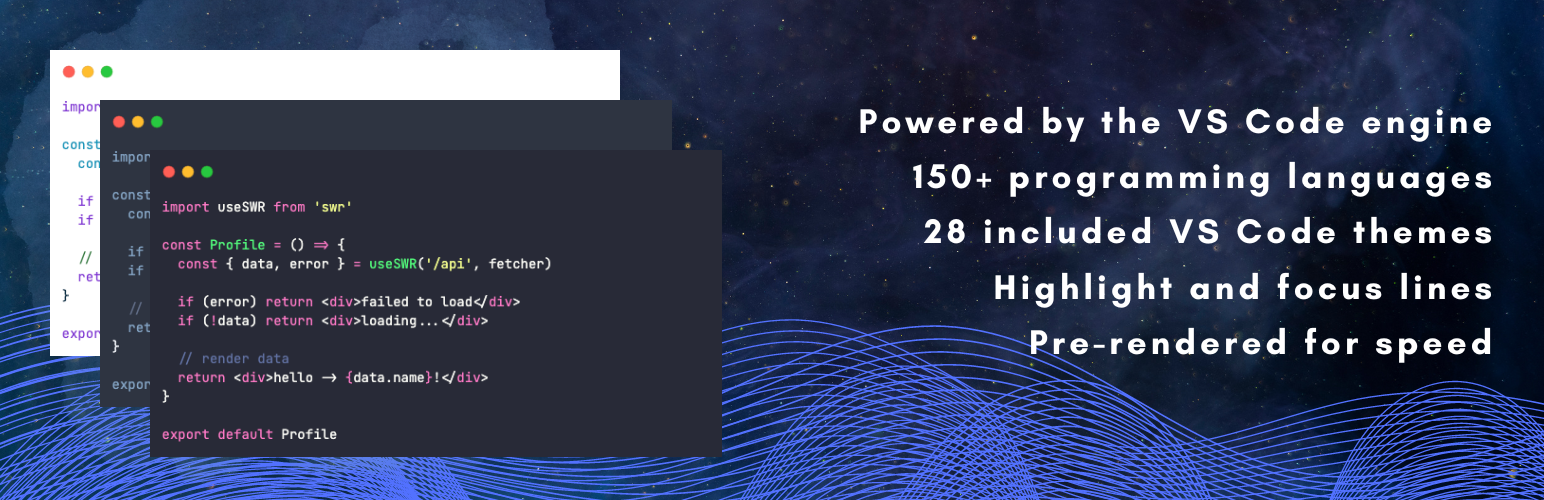
- Includes 25+ built-in themes to choose from
- Supports over 140 programming languages
- 10+ Modern programming web fonts – locally hosted
- Line numbers
- Line highlighting (static and on hover)
- Blur highlighting (with reveal on hover)
- Header styles
- Footer styles
- Native Gutenberg block
- Tab or space indentation
- Core functionality works in headless mode (see FAQ)
- Converting from the default code block (and others)
Code Block Pro reviews and ratings
50 reviews on WordPress.org, with the most recent ones as their authors posted them.
50 reviews
- 5★
-
46
- 4★
-
1
- 3★
-
2
- 2★
-
0
- 1★
-
1
-
Good
There's a lot to like here, except that there is no way to set a site-wide syntax-highlighting theme - it's done block-by-block, separately for every code block.
Stefan Monov -
One of the best syntax highlighting plugins
Code Block Pro is one of the best syntax highlighting plugins for WordPress. Clean, fast and very easy to use. Code snippets look great right away with almost no setup. Highly recommended for anyone publishing code on their site. Thank you very much!
Ben -
Simple and beautiful looking
Leaving a 5 star for the simplicity. Plenty of languages, themes and styles.
afonsolpjr -
It's perfect, bloat-free, fast
In 15 years of using and developing wordpress websites, I've never left a review for a plugin. But I'm compelled to do so for this one. There's no bloat. No notices in the admin panel, no upselling, no ads, no nagging to upgrade to pro, nothing at all. Goes to show the author values and respects their users and not just see them as walking talking wallet. This is how all plugins should be. But that doesn't mean the plugin is devoid of features. It has everything you would want from a syntax highlighter plugin and more. The code looks beautiful and it's fast. Did I mention, there's no bloat. What a breath of fresh air.
dpacmittal -
(FIXED NOW!) Shortcode issue with critical error
I had a problem with Shortcodes inside the code (so inside the block)I put the shortcode model in a comment of the code. And even if the plugin has an option that does not listen to shortcodes. Those with "options" added were still listened to. The programmer solved it on the fly in 2 hours, it's super fast. A_So I can only say that it is a great plugin.B_Excellent free assistance.C_And I can assure you that I looked for a code block or code syntax plugin, and this is the only decent one. Others were also decent, but they have not been updated for years and unfortunately the last one died with wp 6.8 So yes, for now in 2025 I consider it the best, if not almost the only one. ___________________________________________The correct problem_________________________________________ Serious, some codes are read by the system and become critical errors. I chose it because it seemed good to me. I had an old plugin that they haven't updated for 5 years and it ends up that with the new wp 6.8 it no longer shows the graphic template. I searched a bit and chose this one. But problem!it reads some codes anyway: ------------------------- I use a function loaded on the site with WPCode, and I created a guide on the code in question. When I open the article it gives me an error because WP sees the same function name, instead it shouldn't even read it.So to test it I put CSS Editor, so that it doesn't read the php anyway. But the problem remains. I have to rephrase this sentence:It is not the name of the function itself, but the shortcode comment code that is read.Fairly less serious, but problematic. // Add Shortcode - scrivi questo campo [aggiungi_subcategorie] [aggiungi_subcategorie category_data="product_brand"]// NOTA: in avada, usare il campo TESTO e non la sotto variante del campo testo SHORTCODE, altrimenti non vedeadd_shortcode( 'aggiungi_subcategorie', 'wpcode_subcategorie_inpag_archivi_shortcode', 7 );function wpcode_subcategorie_inpag_archivi_shortcode($atts = array(), $
yukiko-kawa -
Great plug-in, my go to for sharing code
It looks beautiful, has a lot of great options without bloat (a hard balance to get perfect) and adds nifty extra's like blur highlighting and a subtle copy button. This is how a plug-in should be.
Tom de Visser
Download and install history
3,036 downloads over the last 48 days. Snapshots taken daily from WordPress.org.
Code Block Pro alternatives
Plugins that solve the same problem, ranked by how closely they overlap with Code Block Pro.
-
 SyntaxHighlighter Evolved 20,000+ installs · 4.3
 -
 CSS & JavaScript Toolbox 10,000+ installs · 4.8
 -
 Code Widget 3,000+ installs · 4.9
 -
 Syntax-highlighting Code Block 1,000+ installs · 5.0
 -
 Enlighter 10,000+ installs · 4.8
Details
Code highlighting powered by the VS Code engine. Performance focused. No bloat.
The full description, screenshots and every review live on the WordPress.org page.
Tags
- block
- code
- highlighter
- php
- syntax
More from Kevin Batdorf
-
 Animate In View 1,000+ installs
 -
 Wavy Divider 700+ installs
 -
 Unlimited Photos 200+ installs
 -
 Static Posts for Twitter 100+ installs
- Version
- 1.28.0
- Last updated
- Aug 15, 2026
- First published
- Aug 22, 2022
- Requires WordPress
- 6.0
- Tested up to
- 7.1.3
- Requires PHP
- 7.0
- Pricing
- Free on WordPress.org
Code Block Pro FAQ
What does Code Block Pro do?
According to its WordPress.org readme, Code Block Pro offers Includes 25+ built-in themes to choose from, Supports over 140 programming languages, 10+ Modern programming web fonts – locally hosted, Line numbers and Line highlighting (static and on hover).
How many active installs does Code Block Pro have?
WordPress.org reports 10,000+ active installs for Code Block Pro as of October 22, 2026.
Is Code Block Pro still maintained?
Yes. The last release was on August 15, 2026 and it is tested up to WordPress 7.1.3.
Does Code Block Pro have good support?
On the WordPress.org forum, 0 of 1 recent support threads for Code Block Pro are marked resolved. That is the developer's free support; a paid version usually comes with its own channel.
Is Code Block Pro free?
Code Block Pro is free to install from WordPress.org. Many plugins also sell a paid version or add-ons.