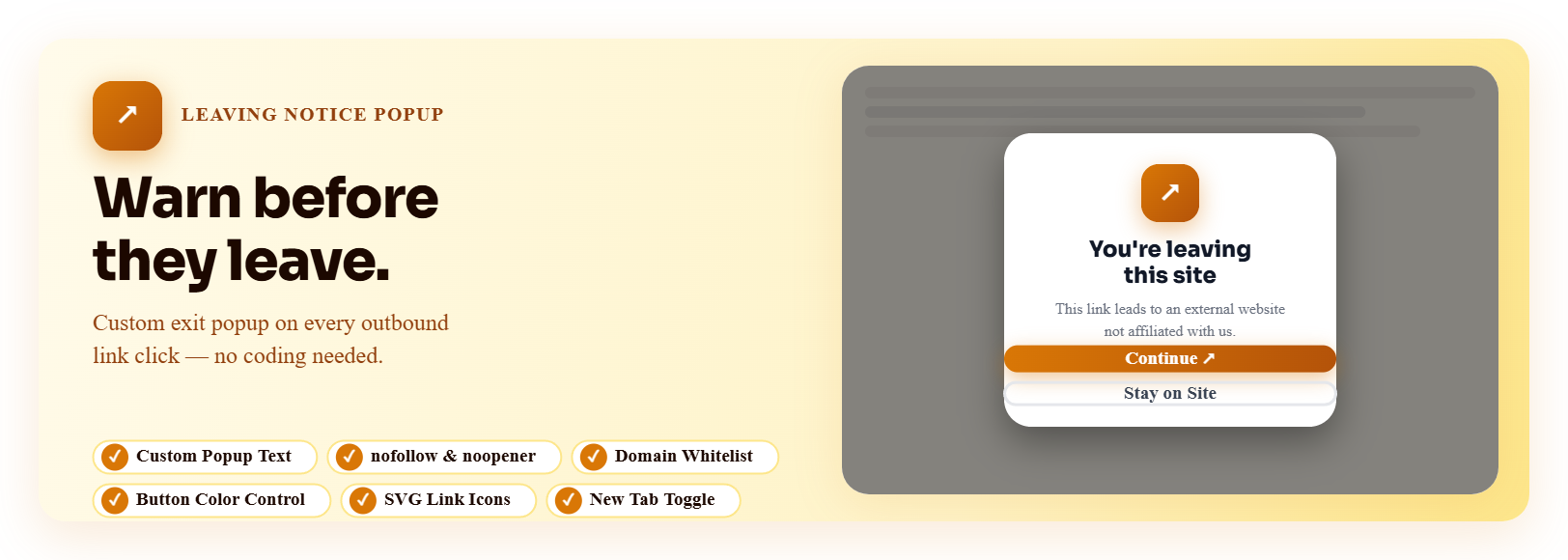

Leaving Notice Popup For External Links — WordPress Popup Plugin
Leaving Notice Popup For External Links – nofollow, noopener & New Tab
by Jose Varghese · WordPress.org page
Leaving Notice Popup For External Links has 300+ active installs on WordPress.org and 3,467 downloads all time. It was downloaded 211 times in the last 30 days. The last update was on August 24, 2026, tested up to WordPress 7.1.3.
Leaving Notice Popup For External Links at a glance
Is Leaving Notice Popup For External Links well maintained?
Features
The feature list from the plugin's own readme on WordPress.org, trimmed to the essentials.
- Customizable Popup: Change the title, message, and button text to match your brand
- Button Color Control: Choose custom colors for both the “Continue” and “Stay” buttons
- rel Attributes: Add nofollow, noopener, noreferrer, sponsored, ugc, or external to outbound links
- New Tab Toggle: Control whether Continue opens the external link in a new tab or same tab
- SVG Link Icons: Show one of 5 icons beside external links, positioned left or right
- Domain Whitelist: Exclude specific domains from triggering the notice
- URL Whitelist with Wildcard Support: Exclude specific URLs or wildcard patterns (e.g. https://example.com/share/*) from triggering the notice
- CSS Class Exclusion: Skip links that carry a specified CSS class
- Page-Level Filtering: Show the popup only on chosen pages, posts, archives, or categories
- Widget Support: rel attribute processing also applies to widget text areas
- Responsive Design: Works perfectly on all devices and screen sizes
- Accessible: Built with accessibility best practices
Leaving Notice Popup For External Links reviews and ratings
3 reviews on WordPress.org, with the most recent ones as their authors posted them.
3 reviews
- 5★
-
3
- 4★
-
0
- 3★
-
0
- 2★
-
0
- 1★
-
0
-
Very useful and owner is helpful
Leaving Notice Popup For External Links is very helpful to my site especially when you have an external links that user/viewers needs to notify that 3rd part site is not yours. Simple pop up but very usefull really awesome work Jose did this! Kudos! very helpful support as well.
wil88 -
Very useful
This is a convenient, useful and very versatile app - you can modify almost every single item according to your needs. Exactly what I was looking for.
orpheus55 -
Useful!
This is a useful simple plugin that does exactly what it says without causing any issues with other plugins I have.
Sid
Download and install history
322 downloads over the last 48 days. Snapshots taken daily from WordPress.org.
Where Leaving Notice Popup For External Links ranks on WordPress.org
The rankings we track that Leaving Notice Popup For External Links appears in, and how its position changed over 30 days.
| Ranking | WordPress.org placement | Position | 30 days |
|---|---|---|---|
| Best Popup Plugins | #60 in search, not tagged | #94 | – |
Details
Show an exit popup or leaving notice when visitors click external links. Add nofollow, noopener, noreferrer & more rel attributes. Add icons.
The full description, screenshots and every review live on the WordPress.org page.
Tags
- exit popup
- exit-intent
- external links
- nofollow
- noopener
More from Jose Varghese
-
 Super Web Share 2,000+ installs
 -
 Mobile Smart App Banner 300+ installs
 -
 Read More Button 100+ installs
 -
 Social Profile Frame Generator 100+ installs
- Version
- 1.4.3
- Last updated
- Aug 24, 2026
- First published
- Jun 1, 2025
- Requires WordPress
- 5.2
- Tested up to
- 7.1.3
- Requires PHP
- 7.2
- Pricing
- Free on WordPress.org
Leaving Notice Popup For External Links FAQ
What does Leaving Notice Popup For External Links do?
According to its WordPress.org readme, Leaving Notice Popup For External Links offers Customizable Popup: Change the title, message, and button text to match your brand, Button Color Control: Choose custom colors for both the “Continue” and “Stay” buttons, rel Attributes: Add nofollow, noopener, noreferrer, sponsored, ugc, or external to outbound links, New Tab Toggle: Control whether Continue opens the external link in a new tab or same tab and SVG Link Icons: Show one of 5 icons beside external links, positioned left or right.
How many active installs does Leaving Notice Popup For External Links have?
WordPress.org reports 300+ active installs for Leaving Notice Popup For External Links as of October 22, 2026.
Is Leaving Notice Popup For External Links still maintained?
Yes. The last release was on August 24, 2026 and it is tested up to WordPress 7.1.3.
Does Leaving Notice Popup For External Links have good support?
On the WordPress.org forum, 1 of 1 recent support threads for Leaving Notice Popup For External Links are marked resolved. That is the developer's free support; a paid version usually comes with its own channel.
Is Leaving Notice Popup For External Links free?
Leaving Notice Popup For External Links is free to install from WordPress.org. Many plugins also sell a paid version or add-ons.
Where does Leaving Notice Popup For External Links rank among Popup Plugins?
Leaving Notice Popup For External Links is #94 in the WordPress.org Popup Plugins ranking.