
Countix Sales Countdown Timer — WordPress Countdown Timer Plugin
by VillaTheme · WordPress.org page · Website
Countix Sales Countdown Timer has 6,000+ active installs on WordPress.org and 185,765 downloads all time. We have tracked it since September 4, 2026; download trends appear after 30 days of data. The last update was on August 22, 2026, tested up to WordPress 7.1.
Countix Sales Countdown Timer at a glance
Is Countix Sales Countdown Timer well maintained?
Features
The feature list from the plugin's own readme on WordPress.org, trimmed to the essentials.
- Select Countix Sales Countdown Timer profile in WooCommerce single product page, variation products, and select Countix Sales Countdown Timer for bulk products
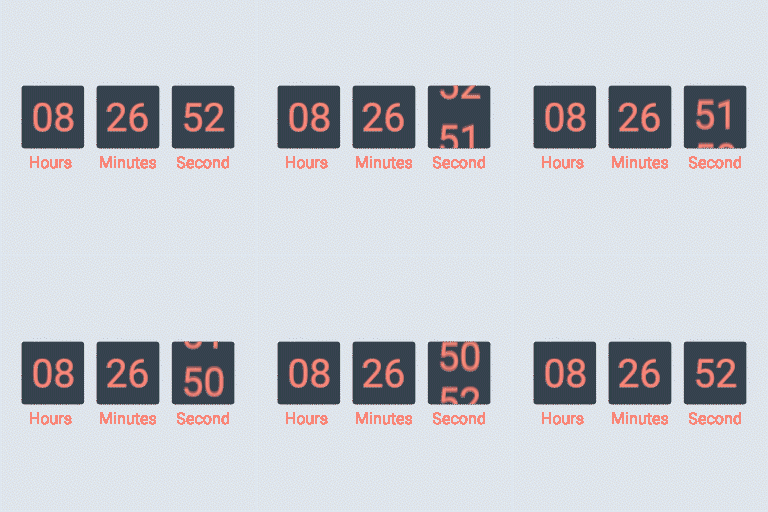
- Display countdown clock base on WooCommerce sale scheduled time
- Select specific sale time: WooCommerce allows you to schedule sale time by date. With Sale Countdown Timer you are able to select specific sale time by hours…
- Position in single product pages: select where the countdown clock will be displayed in single product pages. There are many options for you to select: before…
- Position in archive pages: select where will the countdown click appear in archive pages like shop page, categories pages. There are many options for you to…
- Display in shop page, categories page, related products: you have options to choose display or hide the countdown clock on these pages
- Upcoming sale message: When you schedule a sale campaign in future, you can choose to display an upcoming sale message in the single product page. The messages…
- Sale ends message: display when will the sale finish message with the shortcode {countdown_timer}
- Shortcode: the shortcode {countdown_timer} will display the countdown clock
Countix Sales Countdown Timer reviews and ratings
26 reviews on WordPress.org, with the most recent ones as their authors posted them.
26 reviews
- 5★
-
19
- 4★
-
3
- 3★
-
1
- 2★
-
2
- 1★
-
1
-
Works well enough - bugs worked out below.
A number of bugs and instructions missing that might be helpful for others to know: Time is GMT (not identified anywhere) so adjust accordingly for your timezone. For PST, I had to add 8 hours to get the countdown to be correct. To center the countdown timer, I had to use custom coding in the shortcode block. I used <div style="text-align:center;"> SHORTCODE HERE </div> and that seemed to work. Do not skip the warning that says "will not show unless..." as it will not, in fact, show unless you have that in the title.
ajmumm -
Awesome Results
Even with the free plugin its Awesome very detailed reports for User and Admin
Vital Souls -
Plug in will not activate
I don't know what to say other than after purchasing the pro version, it will not activate through the plugin installer. Waiting on support.
creative1963 -
Works great for a free plugin
Works really well on its free version.
erickonavarro -
shortcode not working in elementor
I use elementor. How to display on homepage or single product. Currently I only see it displayed on product pages, product categories
sgnpdv -
Замечательно!
Просто и красиво!
tswoodstore
Where Countix Sales Countdown Timer ranks on WordPress.org
The rankings we track that Countix Sales Countdown Timer appears in, and how its position changed over 30 days.
| Ranking | WordPress.org placement | Position | 30 days |
|---|---|---|---|
| Best Countdown Timer Plugins | #1 in search, not tagged | #24 | – |
Countix Sales Countdown Timer alternatives
Plugins that solve the same problem, ranked by how closely they overlap with Countix Sales Countdown Timer.
-
 Finale Lite 3,000+ installs · 4.7
 -
 WPC Product Timer for WooCommerce 3,000+ installs · 4.8
 -
 Sale Booster 5,000+ installs · 4.8
 -
 Popup Box 50,000+ installs · 4.6
 -
 HurryTimer 20,000+ installs · 4.8
Details
Create versatile countdown timers for your WordPress site and WooCommerce products, including progress bars and upcoming sale countdowns.
The full description, screenshots and every review live on the WordPress.org page.
Tags
- checkout countdown for woocommerce
- product time countdown for woocommerce
- woocommerce
- woocommerce countdown timer
- WooCommerce Sales Countdown
More from VillaTheme
-
 Email Template Customizer for WooCommerce 20,000+ installs
 -
 CURCY 20,000+ installs
 -
 Bulky 10,000+ installs
 -
 Product Variations Swatches for WooCommerce 10,000+ installs
- Version
- 1.1.12
- Last updated
- Aug 22, 2026
- First published
- Jul 30, 2018
- Requires WordPress
- 5.2
- Tested up to
- 7.1
- Requires PHP
- 7.4
- Pricing
- Free on WordPress.org
Countix Sales Countdown Timer FAQ
What does Countix Sales Countdown Timer do?
According to its WordPress.org readme, Countix Sales Countdown Timer offers Select Countix Sales Countdown Timer profile in WooCommerce single product page, variation products, and select Countix Sales Countdown Timer for bulk products, Display countdown clock base on WooCommerce sale scheduled time, Select specific sale time: WooCommerce allows you to schedule sale time by date. With Sale Countdown Timer you are able to select specific sale time by hours, Position in single product pages: select where the countdown clock will be displayed in single product pages. There are many options for you to select: before and Position in archive pages: select where will the countdown click appear in archive pages like shop page, categories pages. There are many options for you to.
How many active installs does Countix Sales Countdown Timer have?
WordPress.org reports 6,000+ active installs for Countix Sales Countdown Timer as of September 7, 2026.
Is Countix Sales Countdown Timer still maintained?
Yes. The last release was on August 22, 2026 and it is tested up to WordPress 7.1.
Is Countix Sales Countdown Timer free?
Countix Sales Countdown Timer is free to install from WordPress.org. Many plugins also sell a paid version or add-ons.
Where does Countix Sales Countdown Timer rank among Countdown Timer Plugins?
Countix Sales Countdown Timer is #24 in the WordPress.org Countdown Timer Plugins ranking.