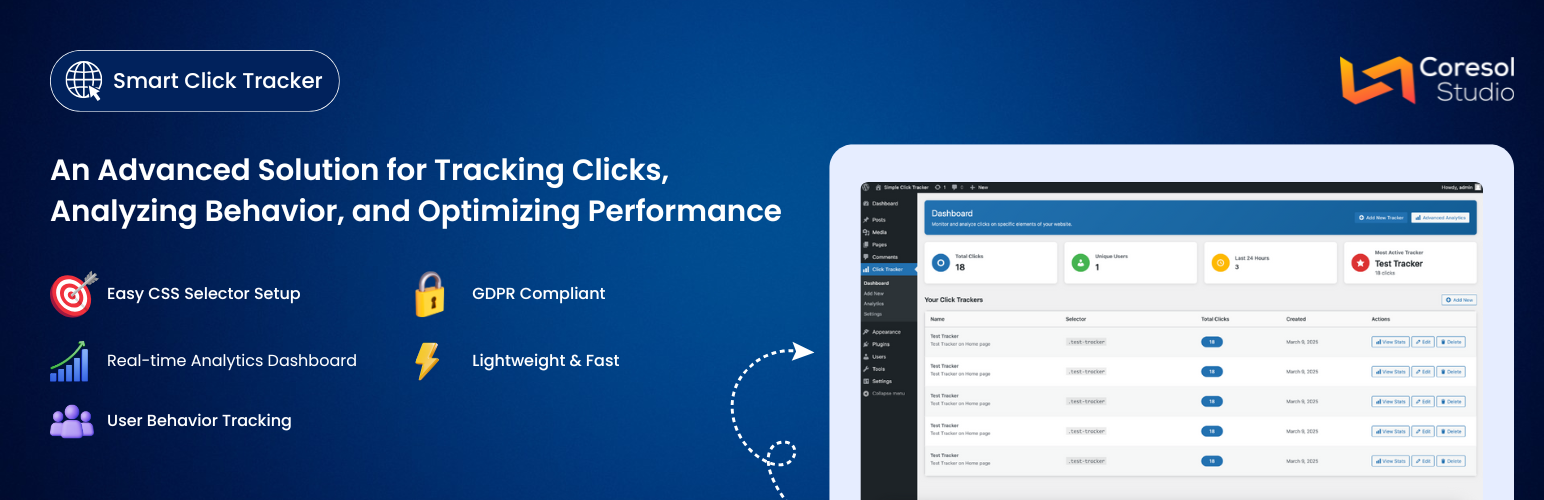
Smart Click Tracker — WordPress Analytics Plugin
by Coresol Studio · WordPress.org page · Website
Smart Click Tracker has 300+ active installs on WordPress.org and 1,799 downloads all time. It was downloaded 177 times in the last 30 days. The last update was on March 17, 2026, tested up to WordPress 6.8.11.
Smart Click Tracker at a glance
Is Smart Click Tracker well maintained?
Features
The feature list from the plugin's own readme on WordPress.org, trimmed to the essentials.
- Element Click Tracking – Track clicks on any element using CSS selectors
- Advanced Analytics – Visual charts for clicks over time, hourly distribution, and device breakdown
- Date Range Filtering – Filter analytics data by custom date ranges and specific trackers
- Device Detection – See how users interact across desktop, mobile, and tablet devices
- User Tracking Controls – Choose to track logged-in users, anonymous users, or both
- Data Retention – Automatic cleanup of old tracking data based on your retention settings
- IP Anonymization – Built-in option to anonymize visitor IP addresses for privacy compliance
- Rate Limiting – Prevents duplicate click tracking from the same user in quick succession
- Lightweight – Minimal impact on page load times with asynchronous tracking
Smart Click Tracker reviews and ratings
1 reviews on WordPress.org, with the most recent ones as their authors posted them.
1 reviews
- 5★
-
1
- 4★
-
0
- 3★
-
0
- 2★
-
0
- 1★
-
0
-
Absolutely brilliant, if a bit barebones
I'm surprised there's no reviews for this. I've tried a few plugins to track clicks (Matmoto Tag manager - nightmare. Burst Insights - buggy & paid. PostHog - good but overkill. Aurora heatmap - misses a lot of clicks) and this is by far the best. Instant analytics updates, very accurate, dead easy to set up if you know a little CSS. It just works, and as far as I can tell there's no paid features. It's an absolutely brilliant plugin, it just needs a few extra options (like being able to clear clicks per element, rather than having to make a new tracker or clear all analytics). Very very highly recommended.
qwioqwio
Download and install history
295 downloads over the last 51 days. Snapshots taken daily from WordPress.org.
Details
Track clicks on any element of your WordPress site and view detailed statistics with beautiful charts.
The full description, screenshots and every review live on the WordPress.org page.
Rankings Smart Click Tracker competes in
Tags
- analytics
- click tracking
- event tracking
- statistics
- user behavior
More from Coresol Studio
-
 SendLog 20+ installs
 -
 HarborBook fewer than 10 installs
- Version
- 1.1.0
- Last updated
- Mar 17, 2026
- First published
- Aug 5, 2025
- Requires WordPress
- 5.0
- Tested up to
- 6.8.11
- Requires PHP
- 7.4
- Pricing
- Free on WordPress.org
Smart Click Tracker FAQ
What does Smart Click Tracker do?
According to its WordPress.org readme, Smart Click Tracker offers Element Click Tracking – Track clicks on any element using CSS selectors, Advanced Analytics – Visual charts for clicks over time, hourly distribution, and device breakdown, Date Range Filtering – Filter analytics data by custom date ranges and specific trackers, Device Detection – See how users interact across desktop, mobile, and tablet devices and User Tracking Controls – Choose to track logged-in users, anonymous users, or both.
How many active installs does Smart Click Tracker have?
WordPress.org reports 300+ active installs for Smart Click Tracker as of October 25, 2026.
Is Smart Click Tracker still maintained?
Yes. The last release was on March 17, 2026 and it is tested up to WordPress 6.8.11.
Does Smart Click Tracker have good support?
On the WordPress.org forum, 0 of 1 recent support threads for Smart Click Tracker are marked resolved. That is the developer's free support; a paid version usually comes with its own channel.
Is Smart Click Tracker free?
Smart Click Tracker is free to install from WordPress.org. Many plugins also sell a paid version or add-ons.