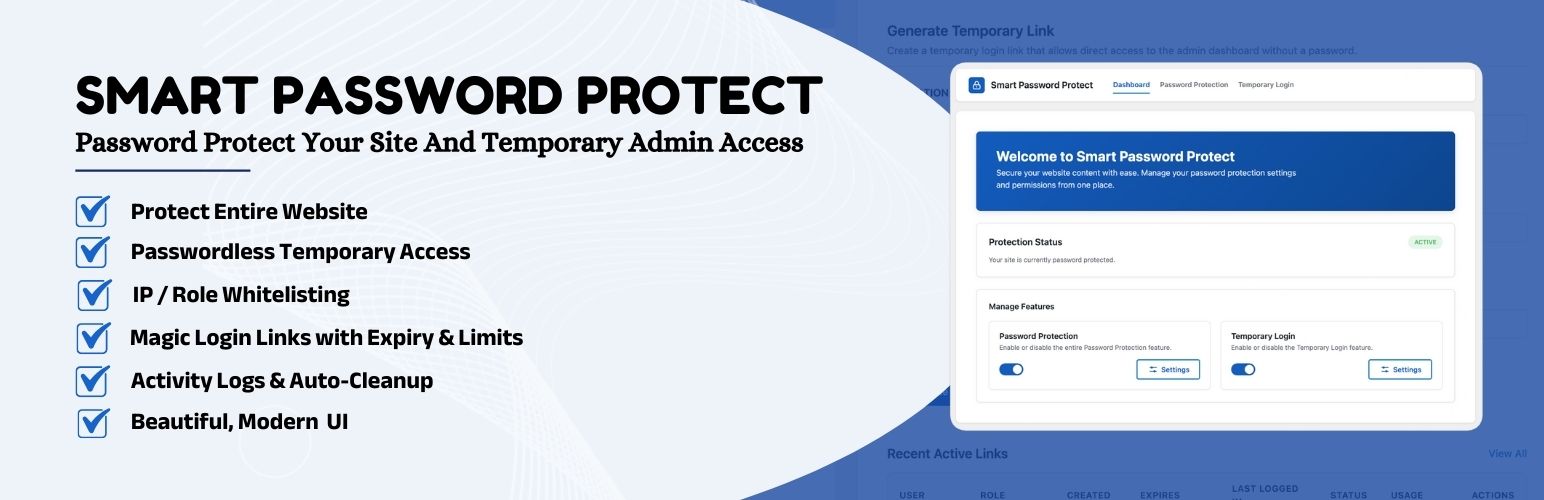

Password Protect — WordPress Password Protection Plugin
Password Protect – Temporary Login Without Password & Password Protect Entire Site
by Huzaifa Al Mesbah · WordPress.org page · Website
Password Protect has 100+ active installs on WordPress.org and 3,511 downloads all time. It was downloaded 488 times in the last 30 days. The last update was on September 26, 2026, tested up to WordPress 7.1.3.
Password Protect at a glance
Is Password Protect well maintained?
Features
The feature list from the plugin's own readme on WordPress.org, trimmed to the essentials.
- Secure Developer Access: Give developers or support agents admin access safely
- Auto-Expiration: Set links to expire after 1 hour, 1 day, 7 days, or a custom date
- No Credentials Needed: Users log in simply by clicking the link. No username or password required
- Role Management: Assign any role (Admin, Editor, Subscriber) to the temporary user
- Advanced Options Toggle: Show/hide advanced settings (Login Limits, User Role) with a simple click
- Redirect After Login: Automatically redirect users to a specific page (e.g., Settings, Home, or Custom URL)
- Activity Logs: Track exactly when a temporary user logs in, their IP address, and browser
- Login Limits: Restrict the number of times a link can be used
- Safe Content Reassignment: When a temporary user is deleted, any posts, pages, WooCommerce products, or other custom post types they created or modified are…
- Self-Preservation: Temporary users cannot deactivate or delete the Smart Password Protect plugin itself
- Profile Lockdown: Temporary users are blocked from editing their profile or creating/deleting other users
- Manual Status Control: Manually change Temporary Login status (Active, Inactive, Expired) directly from the dashboard
Password Protect reviews and ratings
3 reviews on WordPress.org, with the most recent ones as their authors posted them.
3 reviews
- 5★
-
2
- 4★
-
0
- 3★
-
0
- 2★
-
0
- 1★
-
1
-
Amazing Features
Fantastic plugin! It really helps me find what I need. Thank you to the developer for creating this time-saving tool.
Md Abul Bashar -
Warning! Affects other plugins in the Wordpress interface
Unfortunately destroys the tab navigation of other plugins in the WP-Interface!For me it is Relevanssi and Statify. After disabling Smart Password Protect, everything works normally again.I have tested it several times. It is due to this plugin.
thommueller -
Effortless Security with Smart Password Protect Plugin
If you're working on a WordPress site in a staging or development environment, Smart Password Protect is the perfect tool. It allows you to keep your project secure with both password protection and IP whitelisting, ensuring only authorized users can view your content. The bot detection and anti-indexing features are a huge plus for keeping your site hidden from the public eye. This plugin is lightweight, easy to configure, and a fantastic addition to any WordPress developer’s toolkit!
Sobuj Mahamud
Download and install history
605 downloads over the last 48 days. Snapshots taken daily from WordPress.org.
Where Password Protect ranks on WordPress.org
The rankings we track that Password Protect appears in, and how its position changed over 30 days.
| Ranking | WordPress.org placement | Position | 30 days |
|---|---|---|---|
| Best Password Protection Plugins | #42 by tag, #14 in search | #10 | – |
Details
Password Protect entire site & create Temporary Login Without Password links. Simple & secure access for developers or maintenance.
The full description, screenshots and every review live on the WordPress.org page.
Rankings Password Protect competes in
Tags
- maintenance mode
- Password Protect
- passwordless login
- restrict content
- temporary login
More from Huzaifa Al Mesbah
-
 Smart Logout Redirect 200+ installs
 -
 Random Quote 60+ installs
 -
 AI Provider for Z.AI 40+ installs
 -
 Access Defender 40+ installs
- Version
- 1.2.7
- Last updated
- Sep 26, 2026
- First published
- Oct 16, 2024
- Requires WordPress
- 6.6
- Tested up to
- 7.1.3
- Requires PHP
- 7.4
- Pricing
- Free on WordPress.org
Password Protect FAQ
What does Password Protect do?
According to its WordPress.org readme, Password Protect offers Secure Developer Access: Give developers or support agents admin access safely, Auto-Expiration: Set links to expire after 1 hour, 1 day, 7 days, or a custom date, No Credentials Needed: Users log in simply by clicking the link. No username or password required, Role Management: Assign any role (Admin, Editor, Subscriber) to the temporary user and Advanced Options Toggle: Show/hide advanced settings (Login Limits, User Role) with a simple click.
How many active installs does Password Protect have?
WordPress.org reports 100+ active installs for Password Protect as of October 22, 2026.
Is Password Protect still maintained?
Yes. The last release was on September 26, 2026 and it is tested up to WordPress 7.1.3.
Is Password Protect free?
Password Protect is free to install from WordPress.org. Many plugins also sell a paid version or add-ons.
Where does Password Protect rank among Password Protection Plugins?
Password Protect is #10 in the WordPress.org "password" ranking as of today.