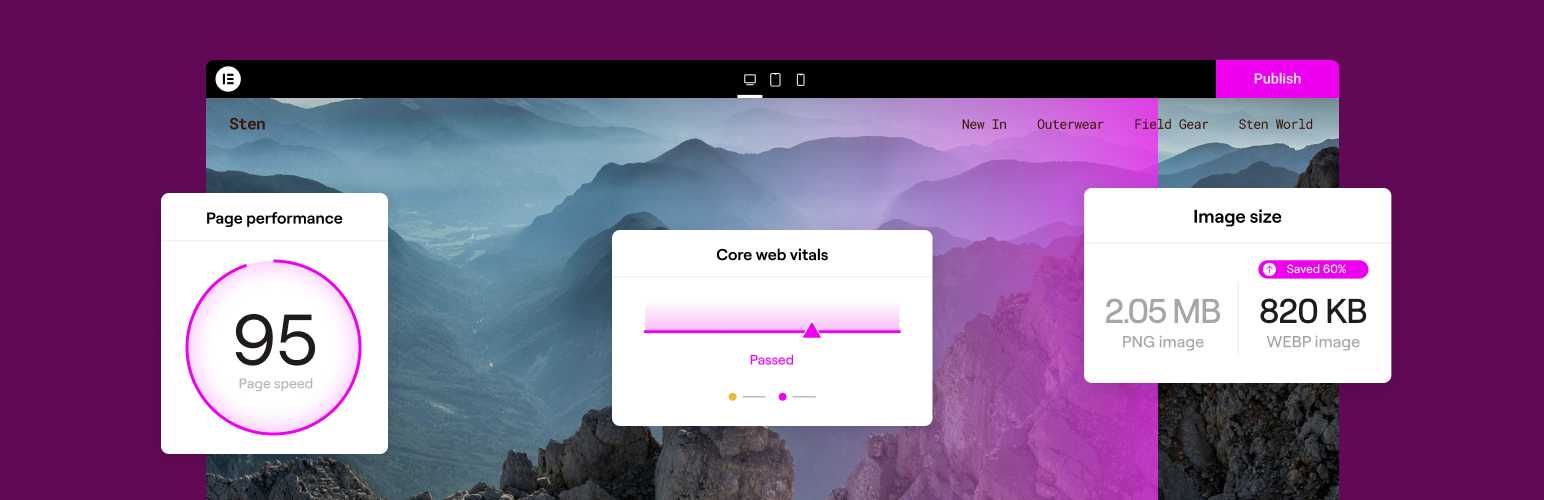

Image Optimizer — WordPress Image Optimization Plugin
Image Optimizer – Compress Images and Convert to WebP or AVIF
by Elementor · WordPress.org page · Website
Image Optimizer has 1 million+ active installs on WordPress.org and 16,370,234 downloads all time. It was downloaded 681,303 times in the last 30 days. The last update was on September 22, 2026, tested up to WordPress 7.0.7.
Image Optimizer at a glance
Is Image Optimizer well maintained?
Features
The feature list from the plugin's own readme on WordPress.org, trimmed to the essentials.
- Image formats supported include JPEG, PNG, WebP, AVIF and GIF
- Works in the background: The only plugin in the category that optimizes your images in the background, without you having to stay on the page during…
- Resize large images: The user can set a maximum pixel width, after which images will automatically be resized. (default value set to 1920px)
- 2 compression levels: Lossless – highest quality with minimal compression; Lossy – maximum compression with somewhat reduced quality
- Optimize on upload: Automatically optimizes images when you upload them
- Bulk or individual optimization: Flexible image optimization options, whether it’s on-demand scaling and compression, or bulk optimization for your entire…
- EXIF Metadata: Select whether to clear image metadata to reduce size even further without impacting image quality
- Backup original images: Ability to delete backups permanently to save space. (We recommend backing up your website beforehand.)
- Restore original images (all sizes) for selected media files if needed
- Convert to WebP and AVIF: Get efficient and faster-loading formats with WebP and AVIF for even better web performance
- Image thumbnails: Resize all image sizes by default. Allow the user to choose specific image sizes based on WordPress-registered thumbnail sizes
Image Optimizer reviews and ratings
80 reviews on WordPress.org, with the most recent ones as their authors posted them.
80 reviews
- 5★
-
10
- 4★
-
1
- 3★
-
5
- 2★
-
4
- 1★
-
60
-
great, alhamdulillah
great, alhamdulillah, thank you
unikarsa -
Cry for Credit Upgrade.
Barely cuts the image size by 50% - deactivating.
prthnon -
Keeps forgetting that we have a license
I'd like to make it stop doing that. Hopefully the 5th re-connect is the charm for this image optimization plugin...
enkia -
Poor image quality, S-L-O-W processing, high resource usage, frequent failures
After using this plugin for over a year, I can only say it leaves much to be desired. The compressed image quality is overall poor, even if you spend lots of credits testing trying to get it right. It can take a long time to process even a single image, sometimes taking more than a minute. Batches seem to offer a better overall performance gain, although the poor image quality remains an issue. I was led to believe all image processing was offloaded to the cloud, which may be true, although the CPU utilization increases quite a bit when this plugin is processing images. Finally, there are frequent failures where the images simply do not get optimized. There is no auto-retry, so you must manually intervene when this happens. There are other issues as well, such as not being able to determine how many credits each site has used if several small sites share a plan. Elementor suggested logging into each site, count how many items need to be optimized and how many were optimized. What?!? This plugin was poorly designed and poorly implemented. I expected much better from a company like Elementor.
boardboss -
Another Bait and Switch Plugin
This is another bait and switch plugin where they offer a service for free for a limited time, then stop providing the service because they want you to go pro. No thank you. I can resize my own photos on my laptop myself, it really isn't that hard to do. If I had to pay for every single plugin on here I would be broke.
pigeontarot -
Plugin tốt
Plugin tốt
Việt Kim Oanh
Download and install history
759,428 downloads over the last 48 days. Snapshots taken daily from WordPress.org.
Where Image Optimizer ranks on WordPress.org
The rankings we track that Image Optimizer appears in, and how its position changed over 30 days.
| Ranking | WordPress.org placement | Position | 30 days |
|---|---|---|---|
| Best Image Optimization Plugins | #1 by tag, #6 in search | #4 | ▼3 |
Image Optimizer alternatives
Plugins that solve the same problem, ranked by how closely they overlap with Image Optimizer.
-
 Imagify 1 million+ installs · 4.3
 -
 Smush 1 million+ installs · 4.8
 -
 ShortPixel Image Optimizer 300,000+ installs · 4.5
 -
 Converter for Media 500,000+ installs · 4.9
 -
 reSmush.it 100,000+ installs · 4.3
Compare Image Optimizer head to head
 Image Optimizer vs EWWW Image Optimizer
 Image Optimizer vs ThumbPress
-
Image Optimizer vs Imagify
 Image Optimizer vs Optimole
-
Image Optimizer vs reSmush.it
 Image Optimizer vs Robin Image Optimizer
-
Image Optimizer vs ShortPixel Image Optimizer
 Image Optimizer vs TinyPNG Image Optimization
-
Image Optimizer vs Converter for Media
-
Image Optimizer vs Smush
 Image Optimizer vs WPvivid Image Optimization
Details
Image Optimizer is an easy-to-use WordPress plugin that reduces image size through various compression and resizing techniques – all of which preserve …
The full description, screenshots and every review live on the WordPress.org page.
Tags
- convert AVIF
- convert webp
- image compression
- image optimization
- performance
More from Elementor
-
 Elementor 10 million+ installs
 -
 Web Accessibility 500,000+ installs
 -
 Email Deliverability 200,000+ installs
 -
 Activity Log 200,000+ installs
- Version
- 1.7.7
- Last updated
- Sep 22, 2026
- First published
- Jan 8, 2024
- Requires WordPress
- 6.7
- Tested up to
- 7.0.7
- Requires PHP
- 7.4
- Pricing
- Free on WordPress.org
Image Optimizer FAQ
What does Image Optimizer do?
According to its WordPress.org readme, Image Optimizer offers Image formats supported include JPEG, PNG, WebP, AVIF and GIF, Works in the background: The only plugin in the category that optimizes your images in the background, without you having to stay on the page during, Resize large images: The user can set a maximum pixel width, after which images will automatically be resized. (default value set to 1920px), 2 compression levels: Lossless – highest quality with minimal compression; Lossy – maximum compression with somewhat reduced quality and Optimize on upload: Automatically optimizes images when you upload them.
How many active installs does Image Optimizer have?
WordPress.org reports 1 million+ active installs for Image Optimizer as of October 22, 2026.
Is Image Optimizer still maintained?
Yes. The last release was on September 22, 2026 and it is tested up to WordPress 7.0.7.
Does Image Optimizer have good support?
On the WordPress.org forum, 1 of 1 recent support threads for Image Optimizer are marked resolved. That is the developer's free support; a paid version usually comes with its own channel.
Is Image Optimizer free?
Image Optimizer is free to install from WordPress.org. Many plugins also sell a paid version or add-ons.
Where does Image Optimizer rank among Image Optimization Plugins?
Image Optimizer is #4 in the WordPress.org "image-optimization" ranking as of today.