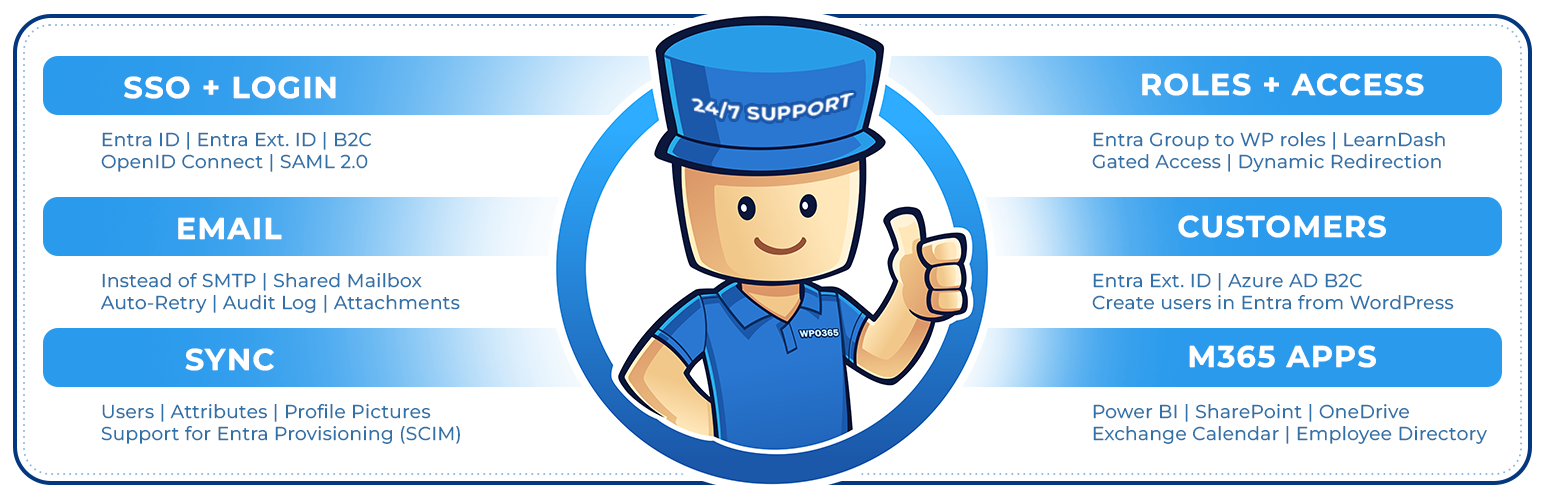

WPO365 — WordPress Login Plugin
WPO365 | SEAMLESS WORDPRESS + MICROSOFT INTEGRATION (WPO365 | LOGIN)
by Marco van Wieren · WordPress.org page · Website
WPO365 has 10,000+ active installs on WordPress.org and 648,766 downloads all time. It was downloaded 21,464 times in the last 30 days. The last update was on October 18, 2026, tested up to WordPress 7.1.3.
WPO365 at a glance
Is WPO365 well maintained?
Features
The feature list from the plugin's own readme on WordPress.org, trimmed to the essentials.
- Support for Multitenancy more
- Support for multiple IdPs more
- Force SSO more
- Dual Login more
- Intercept manual login more
- Prevent pwd. / email change more
- Single Sign-out more
- Sign out of M365 more
- Custom login URL more
- Custom loading template more
- B2C custom domain more
- Embedded B2C login more
WPO365 reviews and ratings
153 reviews on WordPress.org, with the most recent ones as their authors posted them.
153 reviews
- 5★
-
149
- 4★
-
1
- 3★
-
1
- 2★
-
1
- 1★
-
1
-
Greate product with amazingly good support
This plugin works brilliantly and the documentation is thorough and clear. Even better, on the rare times I have needed to ask for assistance the customer support has been swift and clear. Highly recommended!
jgwcouk -
Amazing customer support!
The very best customer support I've ever experienced. Responsive, detailed and clear communication. Very much recommend WPO360!
daveprogrammingartscom -
Ties together multiple sites
So far I'm only using this for team SSO across multiple subdomains in our business, but it's fantastic. I haven't needed support, but I have tweaked the styling on the login page, so as not to draw external uses into clicking the SSO button! Many thanks. I would usually buy a paid licence for a free plugin that is this useful, just to support the developer, but I'm pretty sure I will need some more of the features. I just don't know which yet!
tufty -
Powerful Intranet Solution
This is a great solution for my company to have an Intranet based on our Microsoft365 tenant users. Its very powerful without unneeded obfuscation or fluff. I'd give ten starts if it were an option!For me this was new territory and I have to say that the support has been nothing short of spectacular! I have not been feeling lost and if I do feel lost support always rights me up and sets me on the correct path. I wish every plug-in was as well executed and as well supported as this.Thank you so much for making my work better and easier!
nonccorp -
The Gold Standard for Microsoft 365 Integration
WPO365 has been one of the most useful WordPress plugins we've implemented. What I like most is that it brings a lot of Microsoft 365 functionality together in one place. Rather than managing separate plugins for SSO, email, Teams, SharePoint, user provisioning, and other services, we were able to handle everything through WPO365. That has made administration much simpler and reduced the amount of maintenance involved. One of the first things we set up was sending WordPress email through Microsoft 365. This let us use the same DKIM, SPF, and DMARC policies already in place across the organization. Setup was straightforward, and we noticed better email deliverability almost immediately. The documentation has been a big help. It's thorough, easy to follow, and covers a wide range of scenarios. More than once, I've found features or configuration options I probably wouldn't have discovered otherwise just by working through the documentation. A feature that has worked particularly well for us is silent authentication in Microsoft Teams. Users can access WordPress applications embedded directly within the Teams window without having to leave Teams or sign in again, which makes the experience much smoother and cuts down on login-related support requests. Support has also been excellent. Marco, the developer, is very responsive and clearly knows the product inside and out. When we've run into issues, the responses have been thoughtful and focused on solving the actual problem rather than working through a generic support script. That has saved us a lot of time. If you're running both WordPress and Microsoft 365, WPO365 is worth a serious look. It has helped us simplify integration, improve the user experience, and reduce the overhead of managing multiple plugins.
Kit -
Nothing but outstanding and helpful
Our organization worked on a project that required M365 application services on a website.We experienced difficulties with the setup and support have been nothing but outstanding and helpful. Like one of the reviews out there, they offer swift service and give all inquiries personal attention. Even with the free version of the plugin, it is already feature rich.To support their work and help the future development of the plugin. We recommend, although optional, purchase a license of the plugin.
npcwebm
Download and install history
31,793 downloads over the last 48 days. Snapshots taken daily from WordPress.org.
Where WPO365 ranks on WordPress.org
The rankings we track that WPO365 appears in, and how its position changed over 30 days.
| Ranking | WordPress.org placement | Position | 30 days |
|---|---|---|---|
| Best Login Plugins | #33 in search, not tagged | #71 | – |
| Best Email Plugins | #52 by tag, not in search | #94 | ▼3 |
WPO365 alternatives
Plugins that solve the same problem, ranked by how closely they overlap with WPO365.
-
 User Profile Builder 40,000+ installs · 4.7
 -
 UsersWP 20,000+ installs · 4.7
 -
 WP 2FA 100,000+ installs · 4.7
 -
 Vigilant 3,000+ installs · 5.0
 -
 WPAuth 10,000+ installs · 4.6
Details
Seamless Microsoft Entra | Ext. ID | B2C | M365 Integration for WordPress. For SSO, Mail, Roles, Access, Sync, Copilot, SharePoint, PowerBI.
The full description, screenshots and every review live on the WordPress.org page.
Rankings WPO365 competes in
Tags
- microsoft
- powerbi
- sharepoint
- sso
More from Marco van Wieren



- Version
- 45.1
- Last updated
- Oct 18, 2026
- First published
- Sep 28, 2017
- Requires WordPress
- 5.0
- Tested up to
- 7.1.3
- Requires PHP
- 7.4
- Pricing
- Free on WordPress.org
WPO365 FAQ
What does WPO365 do?
According to its WordPress.org readme, WPO365 offers Support for Multitenancy more, Support for multiple IdPs more, Force SSO more, Dual Login more and Intercept manual login more.
How many active installs does WPO365 have?
WordPress.org reports 10,000+ active installs for WPO365 as of October 22, 2026.
Is WPO365 still maintained?
Yes. The last release was on October 18, 2026 and it is tested up to WordPress 7.1.3.
Does WPO365 have good support?
On the WordPress.org forum, 1 of 1 recent support threads for WPO365 are marked resolved. That is the developer's free support; a paid version usually comes with its own channel.
Is WPO365 free?
WPO365 is free to install from WordPress.org. Many plugins also sell a paid version or add-ons.
Where does WPO365 rank among Login Plugins?
WPO365 is #71 in the WordPress.org Login Plugins ranking.