
WPO365 — WordPress Email Plugin
WPO365 | MICROSOFT 365 GRAPH MAILER
by Marco van Wieren · WordPress.org page · Website
WPO365 has 10,000+ active installs on WordPress.org and 290,620 downloads all time. It was downloaded 17,404 times in the last 30 days. The last update was on October 18, 2026, tested up to WordPress 7.1.3.
WPO365 at a glance
Is WPO365 well maintained?
Features
The feature list from the plugin's own readme on WordPress.org, trimmed to the essentials.
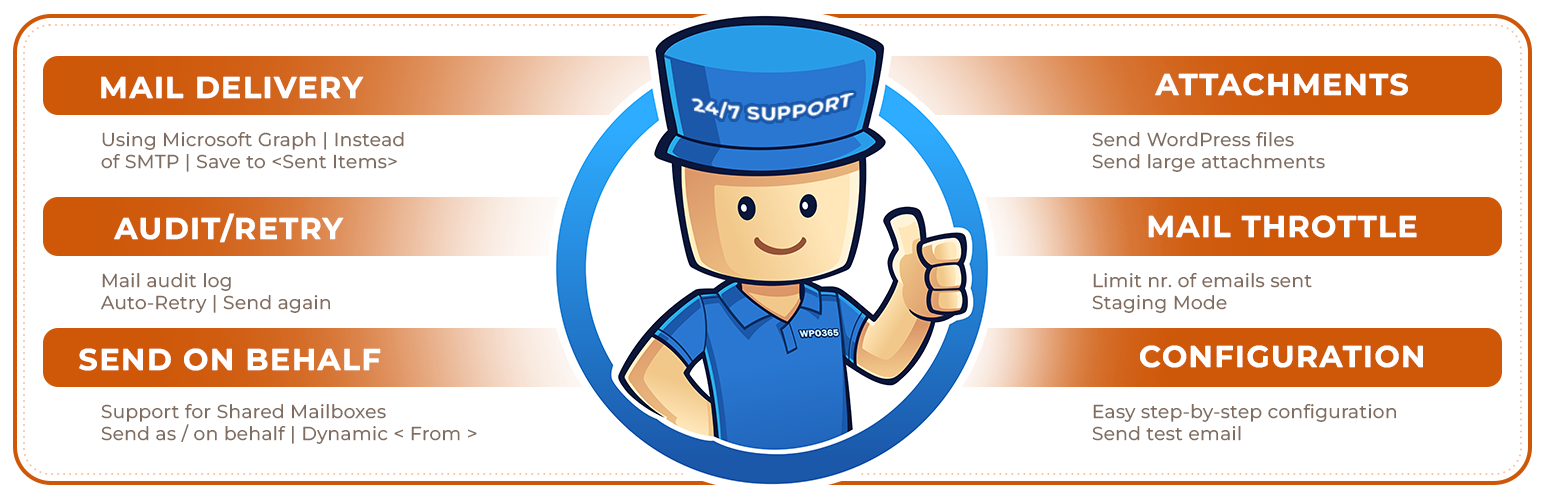
- Send WordPress transactional emails from one of your Microsoft 365 Exchange Online / Mail enabled accounts using Microsoft Graph instead of – for example – SMTP
- Choose between delegated (send mail as a user) and application-level (send mail as any user) type permissions
- Or: Select either a Microsoft 365 account or a personal Microsoft account, like Hotmail.com or Outlook.com, to send WordPress emails
- Or: Configure RBAC for Exchange Online and authorize as an application but with a limited scope e.g. one specific mailbox
- Daily refresh of Microsoft Graph access and refresh token
- Auto-flagging and suppression of duplicate emails
- Auto-retry when throttled (HTTP 429)
WPO365 reviews and ratings
40 reviews on WordPress.org, with the most recent ones as their authors posted them.
40 reviews
- 5★
-
39
- 4★
-
0
- 3★
-
1
- 2★
-
0
- 1★
-
0
-
Great
Great Plugin with easy setup!Supports Application Permission, perfect solution together with Exchange Online AppRBAC
sbenz -
Wonderful - does what it says on the box
We switched to Microsoft 365, so it made sense to use that setup to send emails from our website (from an authenticated email, not spam perspective). This plug in guides you through the process of getting Microsoft 365 to work with your Wordpress website. Follow the instructions carefully, it's one of those "don't do this if you're sleepy" processes -- especially if you're not familiar or expert level with Exchange admin (or maybe that was just me 🤔) Recommended!
digitalsabc -
Brilliant Plugin!
I’m loving this plugin! I manage a lot of WordPress websites for clients who use Microsoft 365, and working out how to send emails properly from WordPress has been such a frustration lately. WPO365 Graph Mailer has made the process so much easier. Setup was straightforward, and once it’s configured, it just works. Using Microsoft Graph instead of SMTP feels much more reliable, and I’ve had great success using it across multiple client sites. I also had a question during setup and got a very fast response from the author, which was hugely appreciated. Great support makes such a difference. This plugin has saved me a lot of headaches — highly recommended for anyone managing WordPress sites with Microsoft 365 email.
mrslal -
Outstanding Plugin
My problems with Microsoft 365-Account sending were solved by the plugin in a minute. Ok, you have to go trough that Microsoft Azure registration routine, but then it rocked! Other plugins didnt do that! I am very happy! Thank you. Vera
vthie -
Very good solution for a free option
It works as expected and is currently a strong option for enabling the Microsoft Graph API without a monthly subscription. The setup steps for connecting your Microsoft SMTP account are well documented.
Efs -
A great and fast solution
Seamless solution to send emails via Graph. The ease of setup is imply wonderful.
desarrollodivisa
Download and install history
26,254 downloads over the last 48 days. Snapshots taken daily from WordPress.org.
Where WPO365 ranks on WordPress.org
The rankings we track that WPO365 appears in, and how its position changed over 30 days.
| Ranking | WordPress.org placement | Position | 30 days |
|---|---|---|---|
| Best Email Plugins | #46 by tag, #68 in search | #26 | – |
WPO365 alternatives
Plugins that solve the same problem, ranked by how closely they overlap with WPO365.
-
 SMTP2GO 40,000+ installs · 5.0
 -
 Configure SMTP 6,000+ installs · 4.9
 -
 SAR Friendly SMTP 2,000+ installs · 4.6
 -
 SMTP Mailer 70,000+ installs · 4.6
 -
 Stop WP Emails Going to Spam 10,000+ installs · 4.8
Details
Send WordPress emails from a M365 / Exchange Online Mailbox using Microsoft Graph, leveraging OAuth for authentication which is more secure than SMTP
The full description, screenshots and every review live on the WordPress.org page.
Rankings WPO365 competes in
Tags
- microsoft
- phpmailer
- smtp
- wp_mail
More from Marco van Wieren



- Version
- 6.3
- Last updated
- Oct 18, 2026
- First published
- Feb 4, 2022
- Requires WordPress
- 5.0
- Tested up to
- 7.1.3
- Requires PHP
- 7.4
- Pricing
- Free on WordPress.org
WPO365 FAQ
What does WPO365 do?
According to its WordPress.org readme, WPO365 offers Send WordPress transactional emails from one of your Microsoft 365 Exchange Online / Mail enabled accounts using Microsoft Graph instead of – for example – SMTP, Choose between delegated (send mail as a user) and application-level (send mail as any user) type permissions, Or: Select either a Microsoft 365 account or a personal Microsoft account, like Hotmail.com or Outlook.com, to send WordPress emails, Or: Configure RBAC for Exchange Online and authorize as an application but with a limited scope e.g. one specific mailbox and Daily refresh of Microsoft Graph access and refresh token.
How many active installs does WPO365 have?
WordPress.org reports 10,000+ active installs for WPO365 as of October 22, 2026.
Is WPO365 still maintained?
Yes. The last release was on October 18, 2026 and it is tested up to WordPress 7.1.3.
Does WPO365 have good support?
On the WordPress.org forum, 0 of 1 recent support threads for WPO365 are marked resolved. That is the developer's free support; a paid version usually comes with its own channel.
Is WPO365 free?
WPO365 is free to install from WordPress.org. Many plugins also sell a paid version or add-ons.
Where does WPO365 rank among Email Plugins?
WPO365 is #26 in the WordPress.org Email Plugins ranking.